Cub Instrument User Manual V2.4
Unrivalled Gas Detection. Page 23 of 46 ionscience.com
Upgrading Firmware and Software
CubPC software updates are installed using the Help page.
To update the Cub firmware, click this button on the Cubs page under the Firmware heading:
If the firmware is up to date, nothing will happen. If a newer version is available, a progress indicator
will be displayed in the Firmware field while the upgrade is in progress.
To update the Docking Station firmware, click the same button on the Dock page.
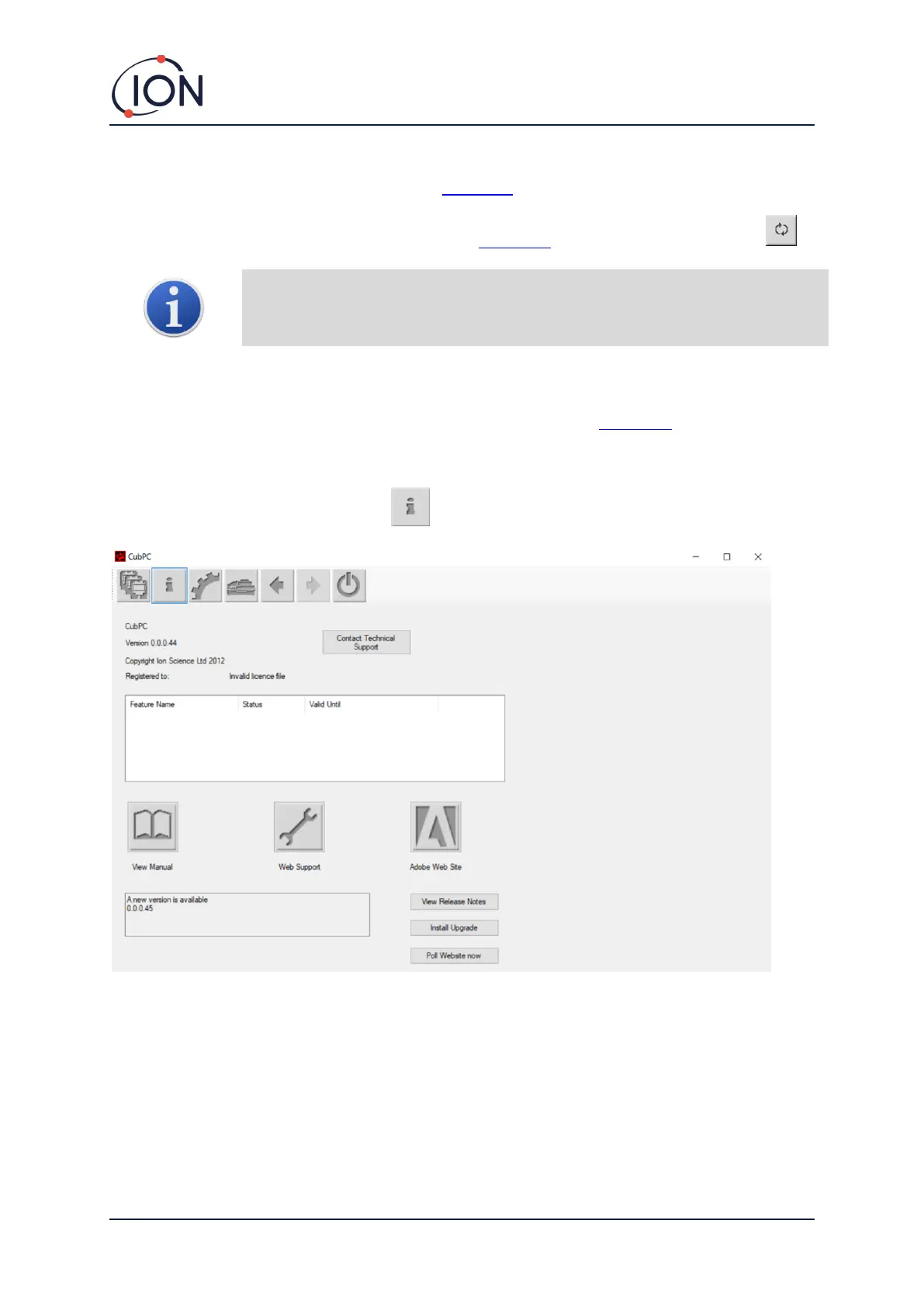
The Help Page
Click this button to open the Help page:
The current software version is displayed at the top of the page, along with copyright information,
who is it licensed to, etc.
Getting Help
The View Manual button accesses the manuals page on the ION Science website, from which this
manual can be downloaded.
To send a question to Technical Support, click the Contact Technical Support button and complete
the form that is displayed.


 To Next Page