Cub Instrument User Manual V2.4
Unrivalled Gas Detection. Page 35 of 46 ionscience.com
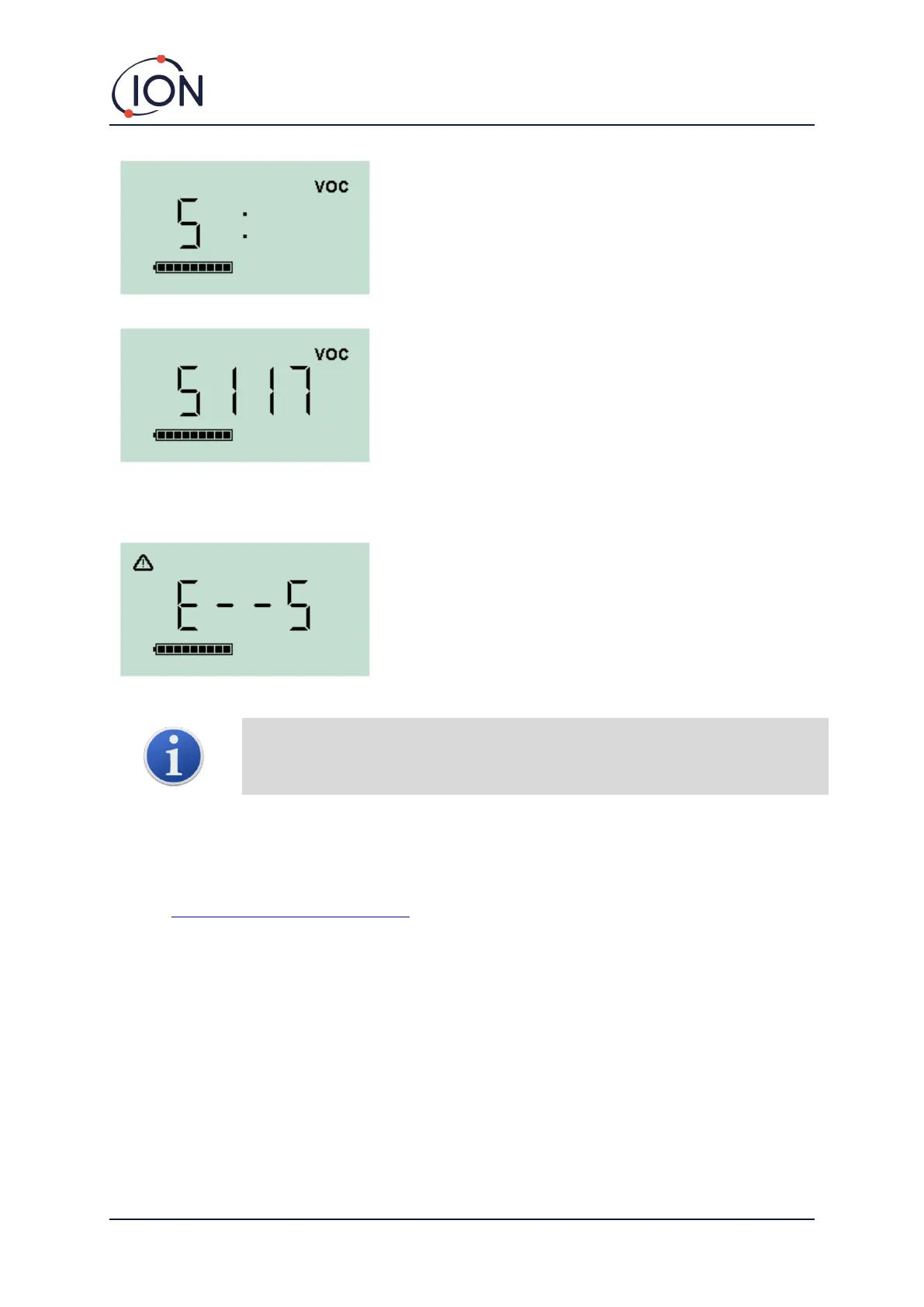
Press the multi-function button to initiate the Span stage.
The screen will display an ‘S’.
Connect the Span gas supply. Switch on the gas supply and
press the multi-function button.
The screen will change and display a live reading from the
sensor. This number does not relate to gas concentration, it
simply indicates if the sensor output is changing.
The reading should increase. Once it stops changing, press
the multi-function button to accept that level. The screen
will flash briefly.
Switch off the Span gas and disconnect it.
If there is no significant difference between the Zero and
Span levels the calibration will be invalid and E- - 5 will be
displayed. If this occurs, the previous valid calibration
levels will be used.
At the end of the calibration sequence the Cub will revert
to the general VOC / normal running.
Important note: Always check the calibration in normal running before use by
carrying out a bump test. Apply the same Zero and SPAN gas used to calibrate and
ensure the correct readings are displayed.
8. Maintenance
Firmware and Software Updates
Refer to Upgrading Firmware and Software.
Filter Replacement
The Filter Disc should be changed after every 100 hours of use, or sooner for particularly dusty or
moisture laden environments. To avoid contaminating Filter Discs, they should only be replaced in a
clean environment, using clean hands and equipment.


 To Next Page