Cub Instrument User Manual V2.4
Unrivalled Gas Detection. Page 32 of 46 ionscience.com
Calibration Using a Cub Doc
Cub Doc Calibration Settings
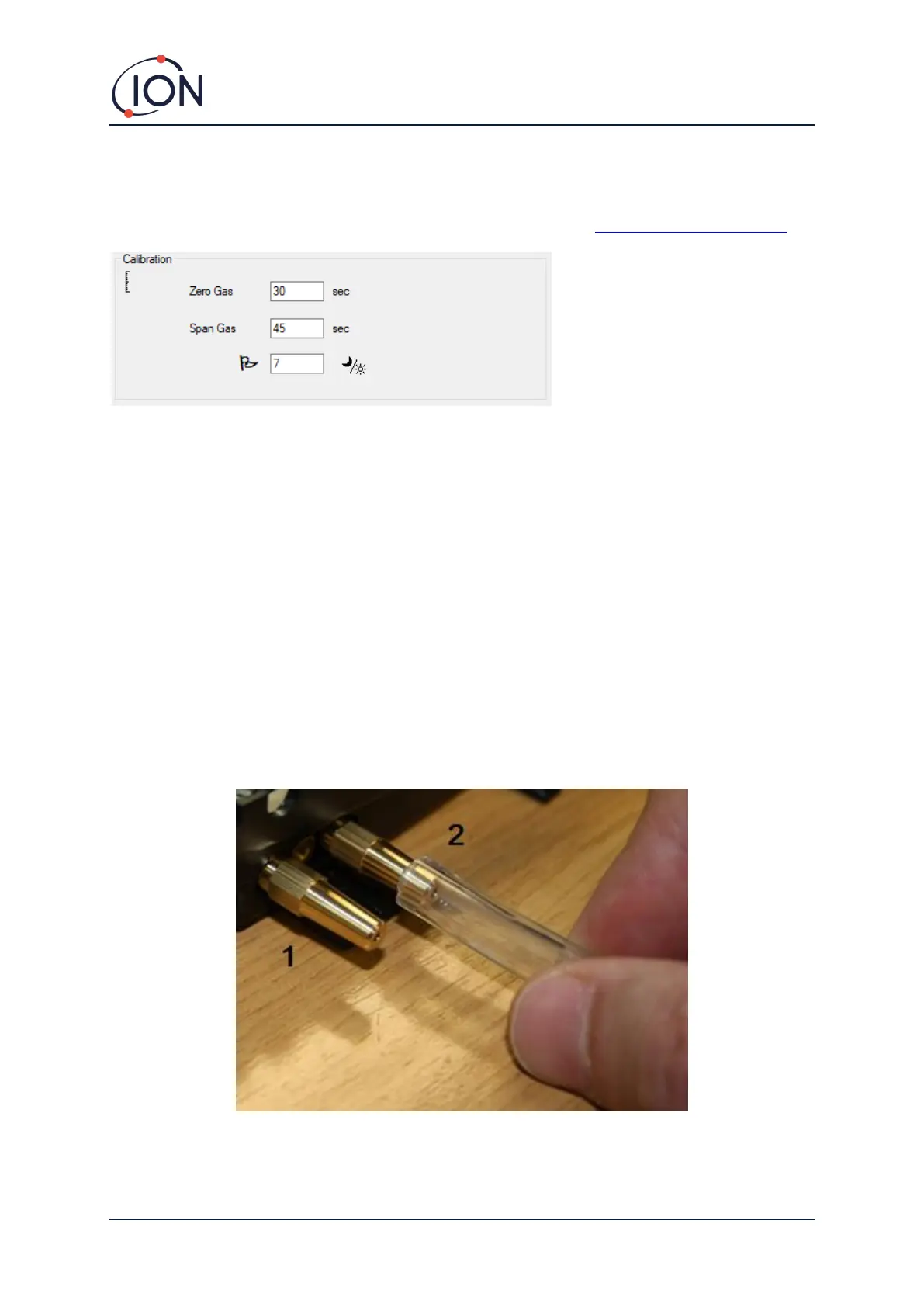
Before calibrating using a Cub Doc, first set up the parameters on the Preferences page in Cub PC:
In both the Zero Gas and Span Gas fields enter the number of seconds that the Zero Gas and Span
Gas are to be sent to a connected Cub when it is being calibrated.
To set a reminder to flag to user that a calibration is due for a Cub, enter the number of days that
calibrations are valid in the bottom field. When a Cub is docked and read by CubPC, the Diagnostic
LED on the Cub Doc will indicate as follows: red if there is no valid calibration, yellow if the
calibration is out of date, and green if the calibration is current.
Cub Doc Calibration Procedure
Ensure you have the cylinder(s) of gas, regulator(s) and / or a zero carbon filter on hand before
starting the procedure. Alternatively, a known clean air supply may be used as the ‘zero’ gas. Ensure
you are familiar with the calibration procedure before starting.
1. Connect the Zero and Span gases by pushing 5mm Tygon pipes onto the calibration ports on
the back of a Calibration type Cub Doc Docking Station. Connect the Zero gas to the left port
(1) and Span gas to the right port (2) (the middle port is not used).
• The Zero and Span times are affected by the length of pipe between the gas source and
the Calibration Dock. For best results, ION Science recommends that pipe lengths
should be kept to a minimum; the shorter the length, the less gas is needed.


 To Next Page