Cub Instrument User Manual V2.4
Unrivalled Gas Detection. Page 31 of 46 ionscience.com
• If your PC still fails to write to your Cub seek advice from your distributor or from Ion Science
Ltd.
To save a configuration file for future use, select the Save To File button. Please note that the
instrument name and time and date settings are not saved. To recover a saved configuration file so
that it may be sent to a Cub(s), select the Load From File button and then Send to Instrument.
7. Calibration
Calibration Facility
ION Science Ltd offers a calibration service including the issue of certification confirming calibration
with equipment traceable to national standards. A calibration kit is available from your distributor,
service centre, or from the ION Science website:
https://www.ionscience.com/products/calibration-kit/
ION Science Ltd recommends annual return of all instruments for yearly service and calibration.
Calibration Overview
The Cub is calibrated at ION Science after manufacture; please note that subsequent calibration will
overwrite the factory calibration. Cub instruments leave ION Science Ltd pre-set for gas type
Isobutylene. Instruments are factory calibrated against isobutylene and all response factors are
equivalent to this.
Due to the linear output of the ION Science PID detector, a two-point calibration is used. Cub scales
its linear output across a ZERO level (clean air reference) and the SPAN 1 user defined gas
concentration.
A Cub can be calibrated either by connecting it to a Calibration type Cub Doc, or remotely using a
remote calibration adaptor.
Cub Calibration Settings
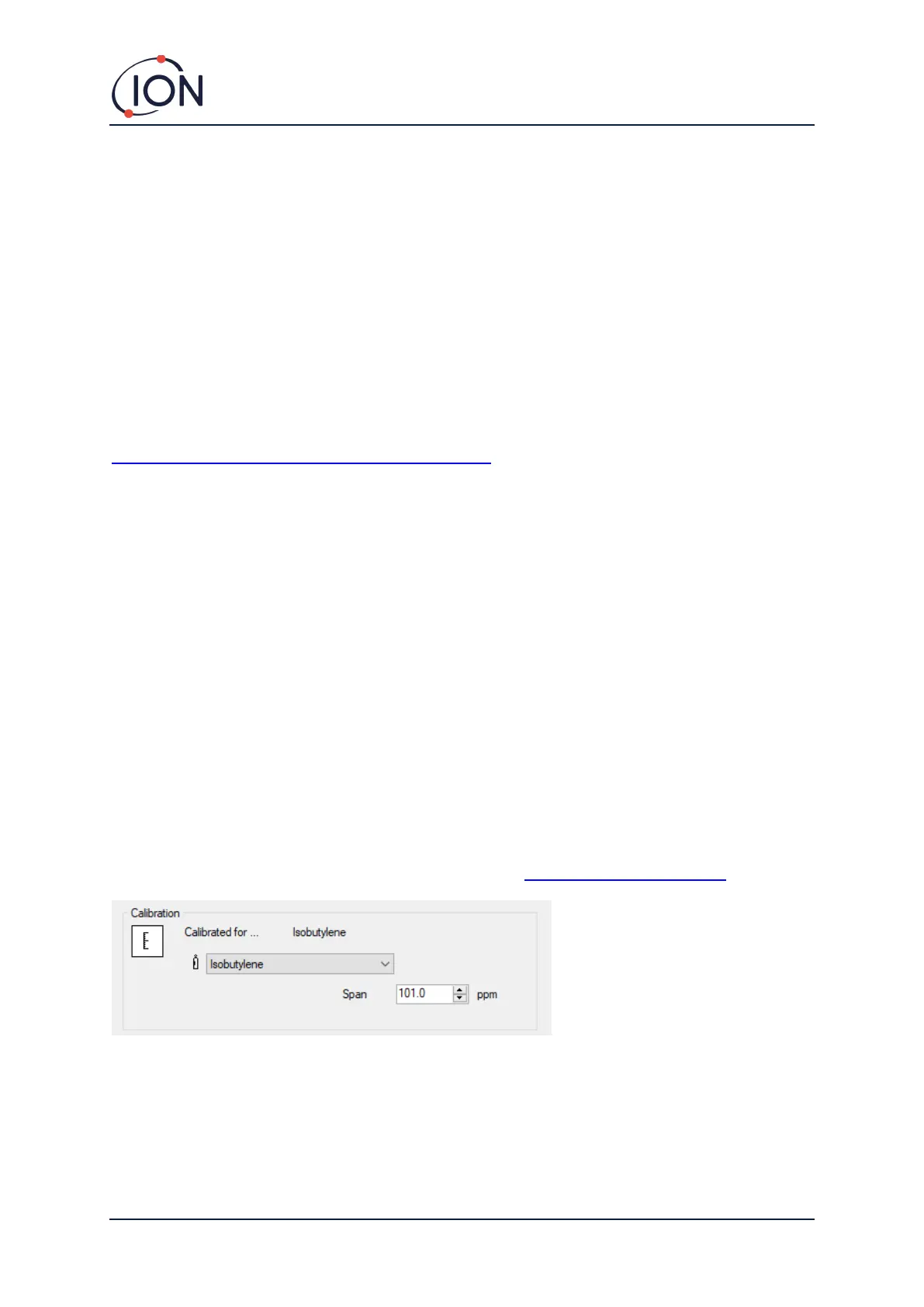
Before calibrating a Cub, first set up the parameters on the Configuration page in Cub PC:
From the drop-down list, select the gas that the Cub is calibrated for.
To set the span that the Cub is calibrated for, enter the concentration in ppm in the Span field.


 To Next Page