Cub Instrument User Manual V2.4
Unrivalled Gas Detection. Page 12 of 46 ionscience.com
3. How do I use the device?
Recharging your Cub
THE CUB IS A RECHARGEABLE DEVICE AND SHOULD ONLY BE RECHARGED USING
THE ION SCIENCE DOCKING STATION IN A NON-HAZARDOUS ENVIRONMENT.
Your Cub should be recharged before every use.
Two spring loaded charging pins are located on the top of the Docking Station.
Do not short circuit these two connections together else the internal fuse will
blow and the Docking Station will need to be replaced.
Cub instruments leave the factory with the battery fully charged. However
prolonged periods of storage may result in the battery discharging. We
recommend charging the instrument for at least four hours before use.
Cubs are recharged using a Cub Doc Docking Station (all types).
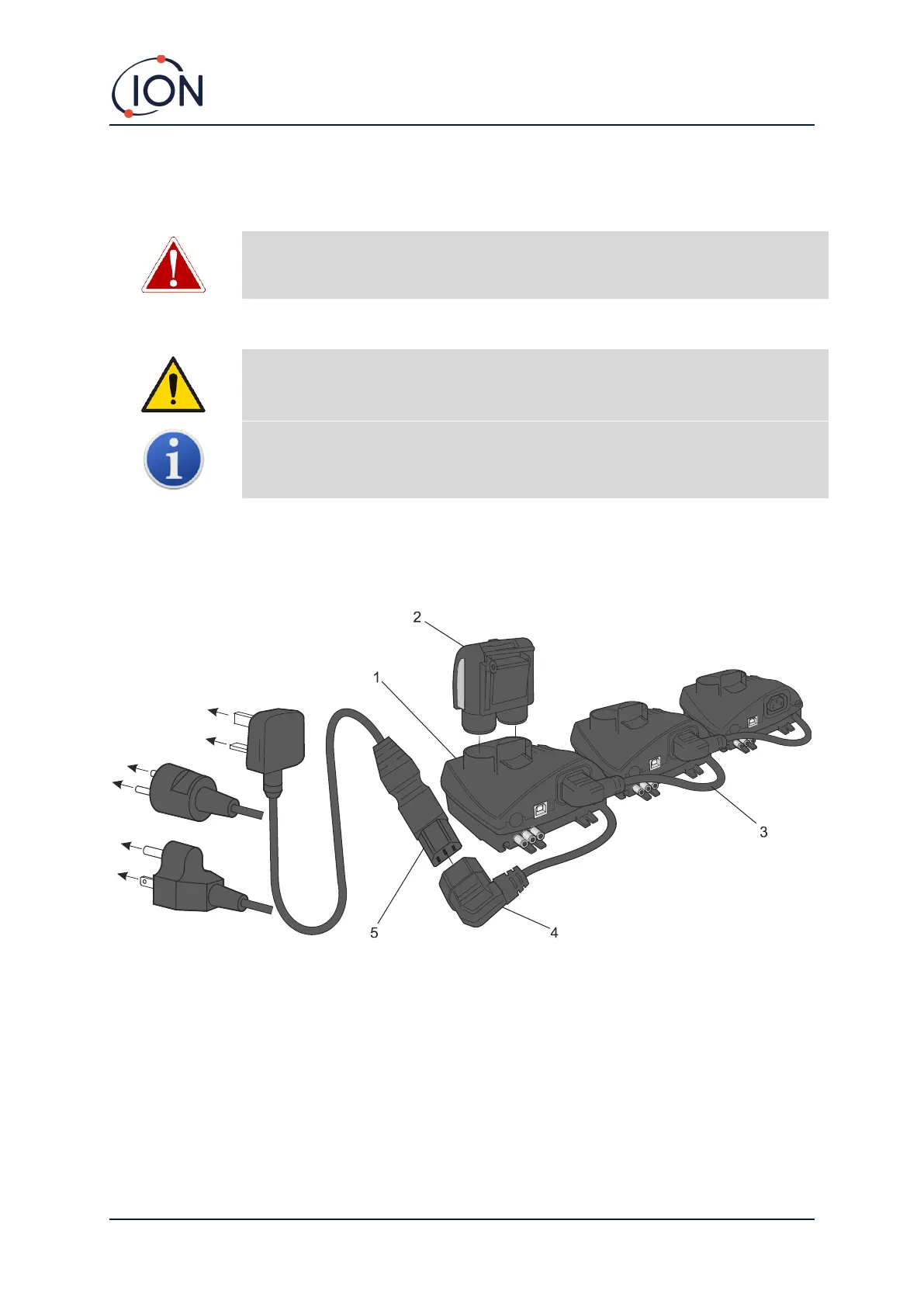
Cub Docs can be “daisy-chained” together (see below) so that multiple Cubs can be recharged from a
single power point:
1 Cub Doc.
2 Cub.
3 Docking Stations “daisy chained”.
4 Flying socket.
5 3-core power supply lead.
To charge your Cub, place it on a Cub Doc which is connected to mains power. The Charge LED of the
Docking Station will indicate green if power is available.
The Cub will then begin to charge. While the Cub is charging, the screen will be illuminated with a
yellow light. When the Cub is fully charged, the screen will be illuminated with alternating green and
yellow light.


 To Next Page