- 22 -
9828 will follow control by HTTP/CGI command or by Schedule setting.
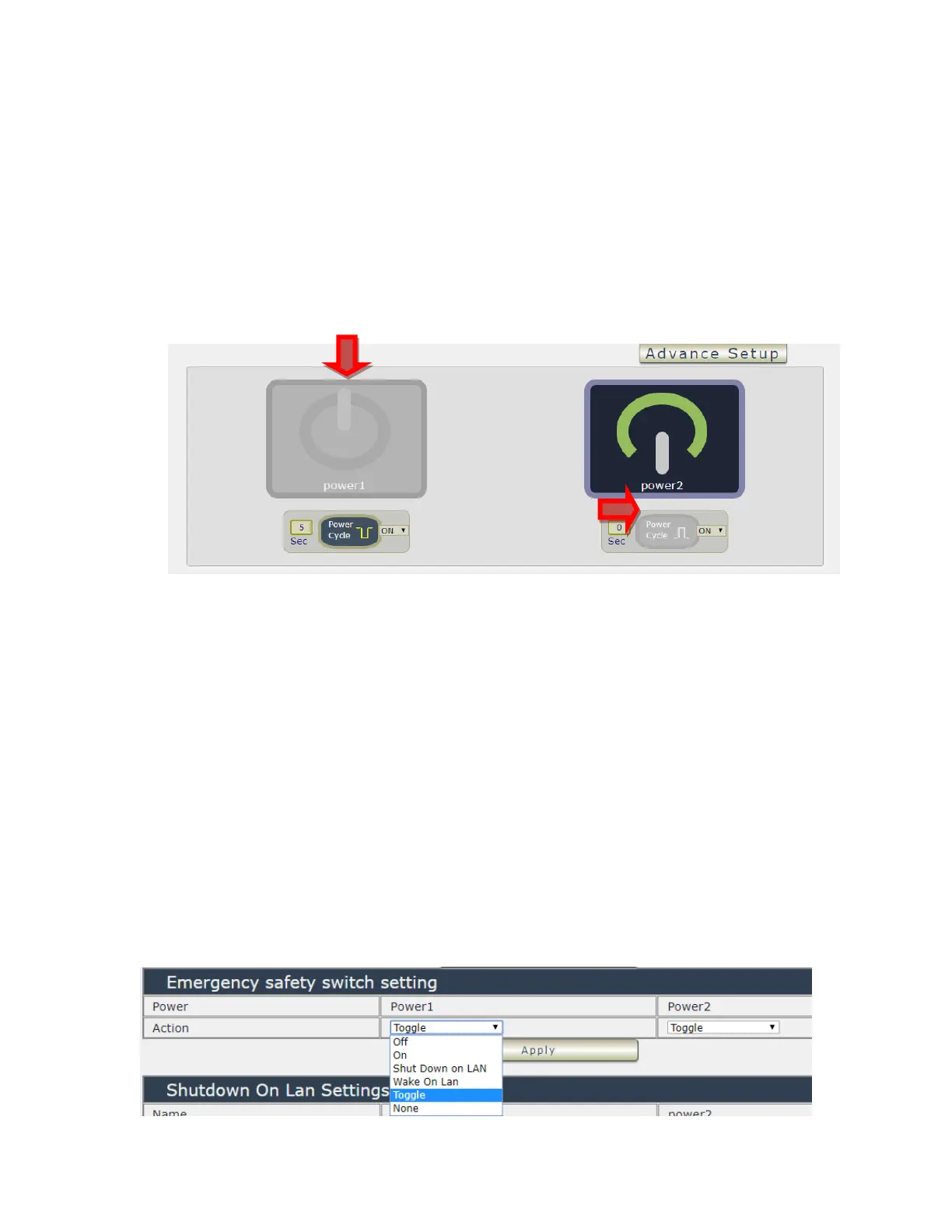
- Forbidden Power cycle :
Stop to “power cycle“ control in the webpage manually . 9828 will follow control by
HTTP/CGI command or by Schedule setting.
For example :
Forbidden outlet #1 & power cycle # 2 . The manual control button will be grey and can
not control as following :
- E-mail Alarm Setting :
Use can enable /disable the e-mail alarm here. Please refer the page 33 to setup the email
information in “Application “ → Email .
The e-mail alarm section allows 9828 to notify user by following situation :
- Receive E-mail with IP information & MAC Address as 9828 device boot up.
- Receive E-mail as ON/OFF status change in each output .
- Beep Alert : User can setup the operation beep ( short time beep) sound here.
- Default Power Status: The control section allow user to set the power status on ON or OFF
or LAST when the device power Rebooted . The output will be same status as choose
LAST before the device power turn off. To save the setting here , please click “Apply
“ button .
Note : Please change the name in English only and do not use symbol
like !@#$%^&*()_+
⚫ Emergency safety switch setting : it is for the two buttons at the front panel



 To Next Page