- 27 -
Ping
The Ping function allows the device to Ping an IP Address automatically to act as a watchdog to
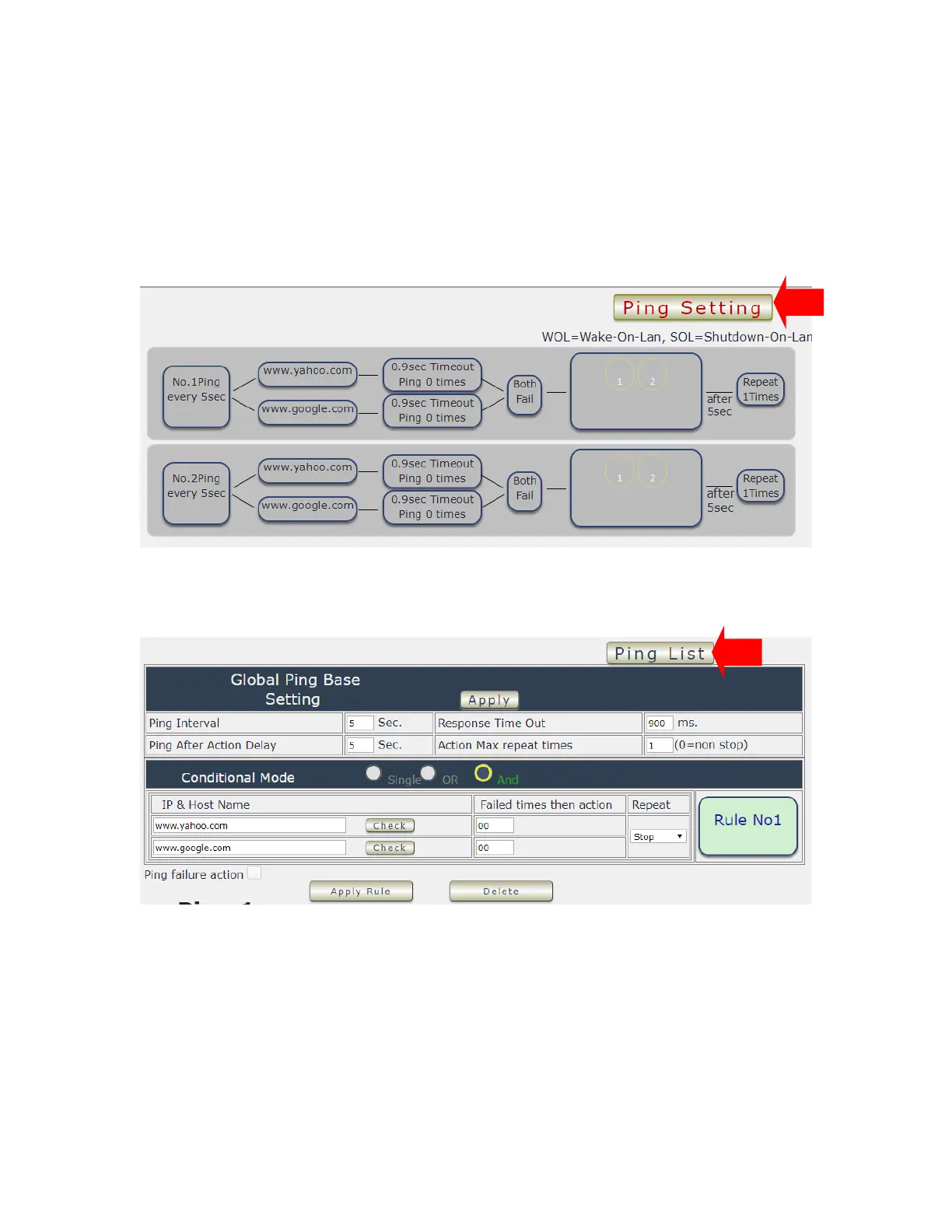
make sure the device getting Ping and working properly. Please Click the button to switch
between “ Ping Setting “ & “ Ping List “ . User can hide the setting section by press “ Ping List “
There are 4 rules for Ping .
- Ping List Page :
- Ping Setting Page :
There are 3 sections of the setting area :
1. Setting Rule Numbers :
User can click to select different rules numbers at the right side button “ Rule No: X “ as
following pictures . There are 4 rules available.



 To Next Page