- 50 -
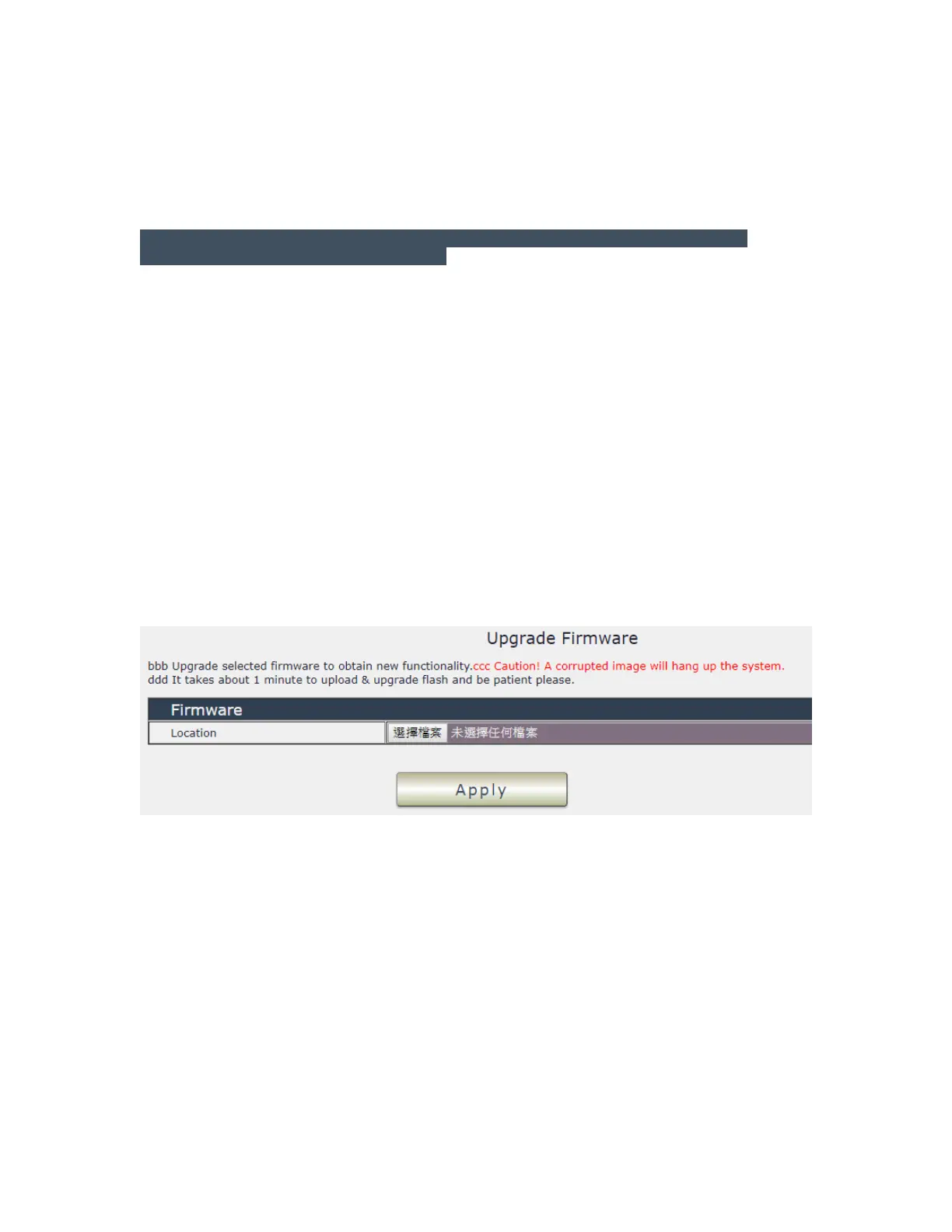
Firmware
The firmware update function only support in LAN connection .
Before update , please DO READ THE HI-LITE MESSAGE BLOW :
It takes about 1 minute to upload upgrade flash and be patient please. Caution! A
corrupted image will hang up the system.
To update the 9828 , please follow the instruction below to prevent anything happens like update
incomplete or hardware disable which may be caused by wrongdoing of updating :
1) Turn off all chat programs including ( Skype, FB. QQ, AIM, Yahoo messenger ….etc.)
2) Check to make sure that all devices are turned on safely and powered
3) While updating do not turn off the power
4) Make sure that the cable is connected firmly
5) Do not interrupt the update process, the update must be completely finished .
6) Turn off, any Spyware or antivirus software which may conflict with the update.
7) Update firmware in the Local Area Network (LAN)
8) Support update under 32bit Web Browser ( 32 bit version only ) like IE, Google Chrome, .
Do not use browser at 64 bit version
9) Please change the PORT as 80
10) Reboot and Do the Hardware Reset ( keep pressing RESET button for 10secs ) after
update successfully.
11) Clear the Cookies from the temporary file of PC to avoid get the old webpage .
Please also update the notice in webpage before update :



 To Next Page