10.3 Tablet Controls
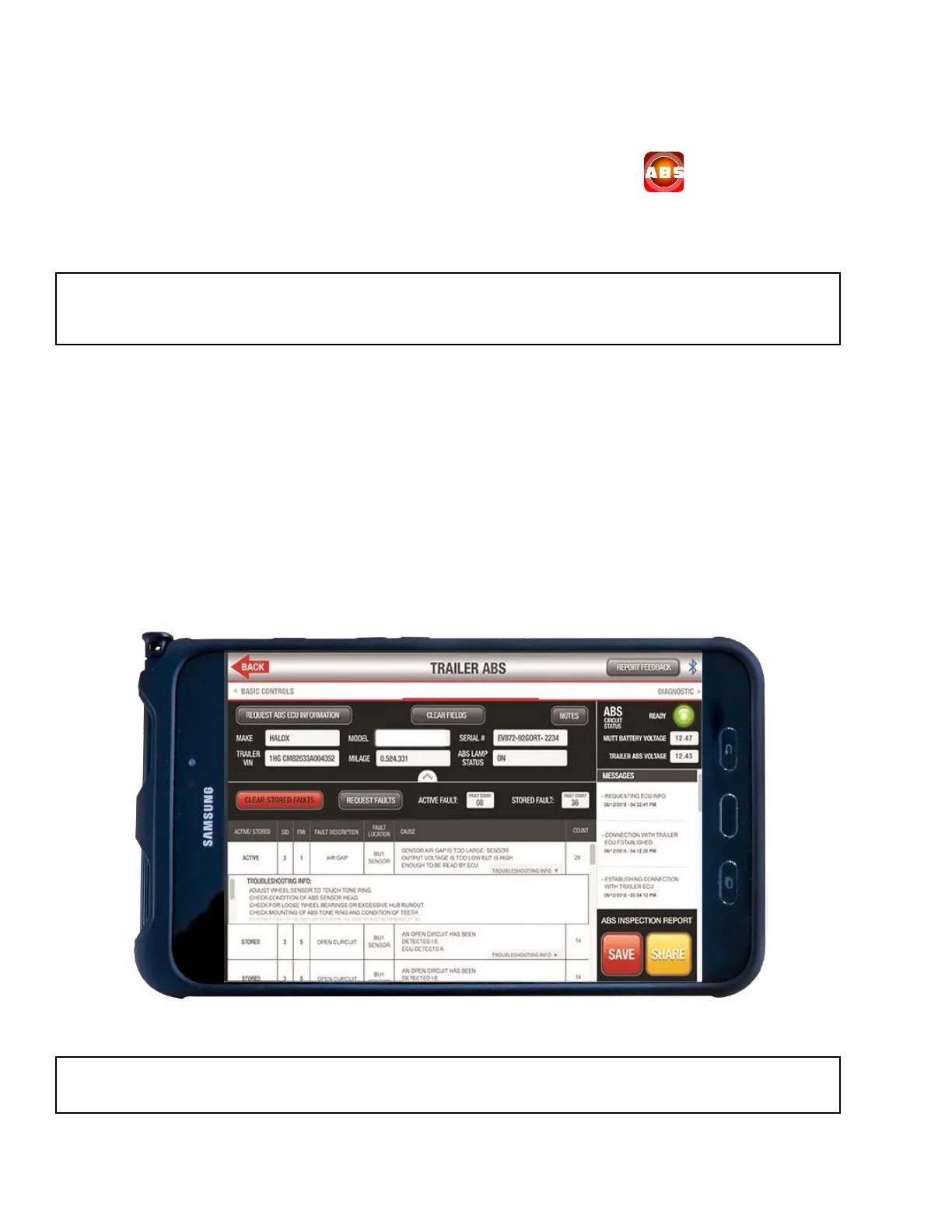
METHOD #2 – Tablet via ABS app.
In this method, the ECU information, clear faults command, code definitions and troubleshooting
information are all displayed on one screen.
The ABS app can be found on the Home Screen of the tablet. Press the icon to launch the
application. The application is designed to be intuitive and easy to use. Review the ABS application
overview below for basic operation flow and further instructions. For technical assistance, please call
888-786-7899.
1. With the Alpha MUTT
®
powered on, ensure it is paired with the tablet via Bluetooth
®
.
2. Select the ABS/AUX1 circuit on the tester’s face.
3. Press REQUEST ABS ECU INFORMATION to populate the MAKE, MODEL, SERIAL, TRAILER
VIN, TRAILER MILEAGE, and ABS LAMP STATUS fields. The ABS CIRCUIT STATUS light will
illuminate green and the BATTERY VOLTAGE field will also populate.
4. Press REQUEST FAULTS to populate the lower portion of the screen with any ACTIVE or
STORED FAULTS.
5. Press TROUBLESHOOTING INFO located in the CAUSE area to show additional information
for each fault.
NOTE: The ABS Application provided with the Alpha MUTT
®
was launched in 2019. IPA
®
will update
the application periodically to increase functionality. If you have any suggestions for updates, please
email tech@ipatools.com or call 845-786-7899.
NOTE: Bluetooth
®
should auto pair with the tester. Press the icon to disconnect or re-establish
connectivity.



 To Next Page