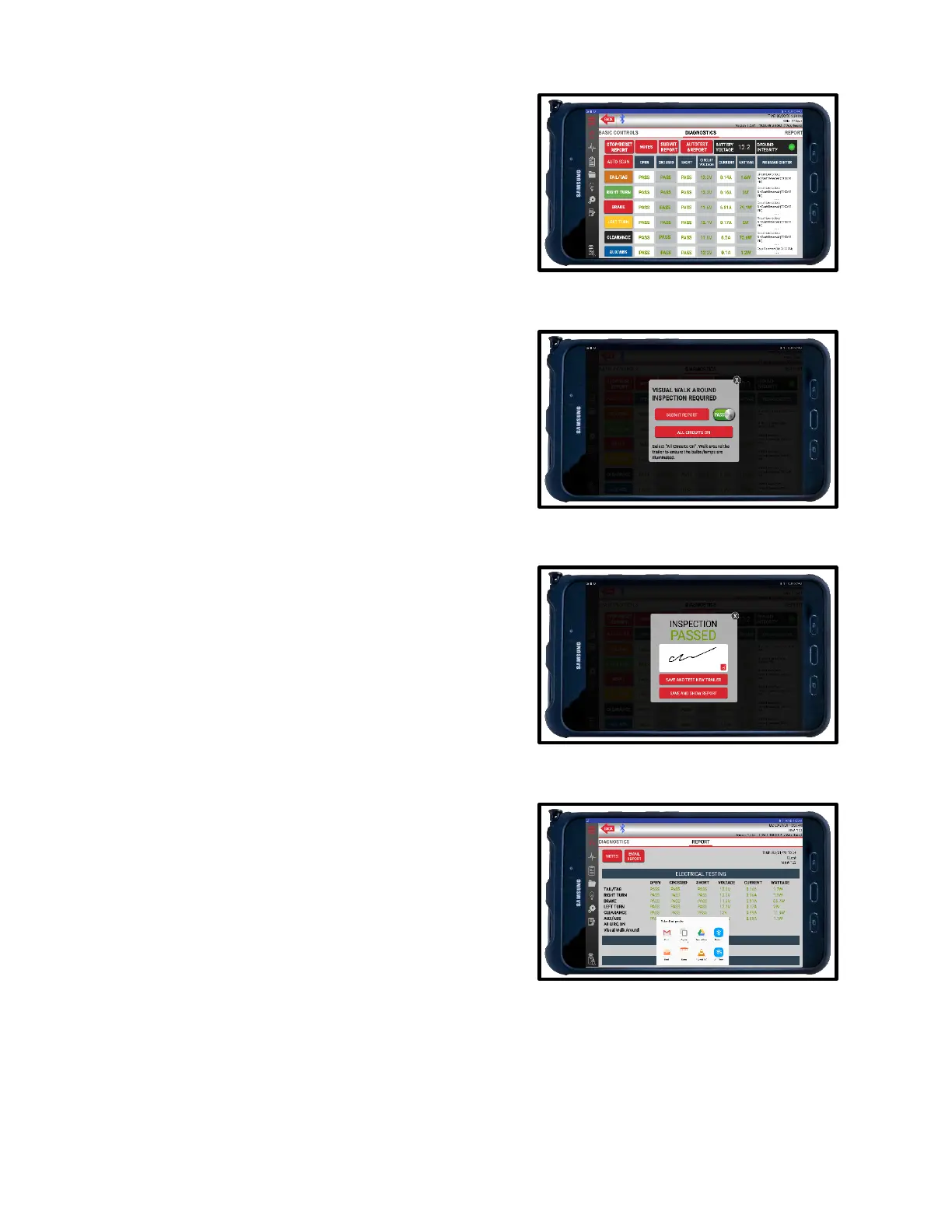
Pass Result
1. If all circuits pass inspection, the app will prompt
you to perform a walk-around, visual inspection.
2. Select ALL CIRCUITS ON. Walk around the vehicle
to visually ensure all bulbs/lamps are illuminated.
3. Once confirmed, press the PASS switch next to the
darkened SUBMIT REPORT button.
4. Once illuminated, press SUBMIT REPORT to
finalize.
5. All inspections must be signed for by the inspector
to finalize and save.
6. Press SAVE AND TEST NEW TRAILER if you have
more trailers to inspect. Press SAVE AND SHOW
REPORT if you are finished and want to view the
Electrical Testing results.
7. From the Reports screen, you can view the results,
log and view notes or share the report.
8. To share the report, press EMAIL REPORT in the
top left corner. A pop-up window will show all the
available options on your tablet. Choose your
preferred sharing method.
9. Images must be attached to the email separately.
Select the attach option in your email browser and
chose the desired images that match the report.
Images are saved with the following naming
mechanism: “Category_Section.jpg”.
(ex. 1BrakeSystem_AServiceBrake.jpg”)



 To Next Page