Advanced Settings
24
Advanced Settings
There are a number of advanced settings available to you to further customize the Ziggi experience.
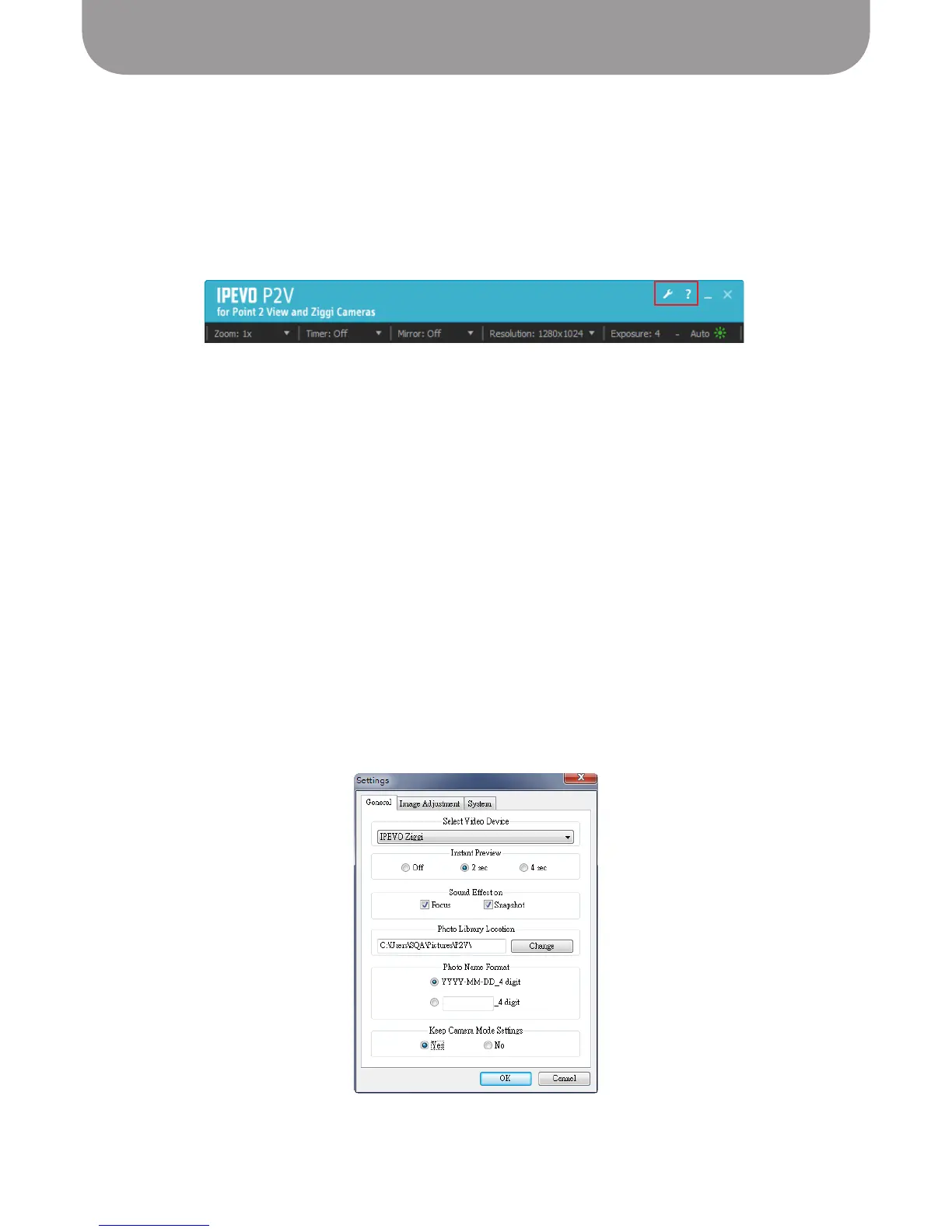
PC: In the upper right-hand corner of the P2V software screen, along with the usual minimize and exit
functions, there is a Help link (the question mark), which leads to the IPEVO.com website, and a settings
link (the wrench), which leads to advanced settings.
Mac: Select Ziggi > Preferences.
General tab
Select Video Device – This should be set to “IPEVO Ziggi”
• Instant Preview – This sets the preview for snapshots taken. The default value is 2 seconds – that
is, after taking a snapshot, the software shows the snapshot you have taken for 2 seconds before
reverting back to video. You can set this value to 4 seconds, 2 seconds, or Off.
• Sound Effect on – By default, there are beep sounds associated with focusing Ziggi, and shutter
sounds associated with taking snapshots. To disable either or both of these sounds, uncheck the boxes.
• Photo Library Location – This controls where your snapshots are stored on your hard drive. Click
“Change” to locate a new location where you’d like to store your snapshots.
• Photo Name Format – By default, your snapshots are saved in a “YYYY-MM-DD_4-digit” format: year,
month, day, and then a unique four-digit number. You can change the prefix before the unique four
digits by clicking the second option and entering in your desired prefix.
• Keep Camera Mode Settings – Each time the P2V software starts up, it will use the default
configuration. To disable this, click “Yes.” The P2V software will now keep your custom settings
between uses.
Note: Regardless of the selections in “Keep Camera Mode Settings,” the P2V software will memorize all
advanced settings.



 To Next Page