Setting up the Wire Feeder Unit
Select the appropriate drive rolls based on your application. (Refer to the Drive Roll and Wire Configuration Table.) Open
the wire feeder unit by pushing the tabbed opening toward the back of the wire feeder while swinging the door outward.
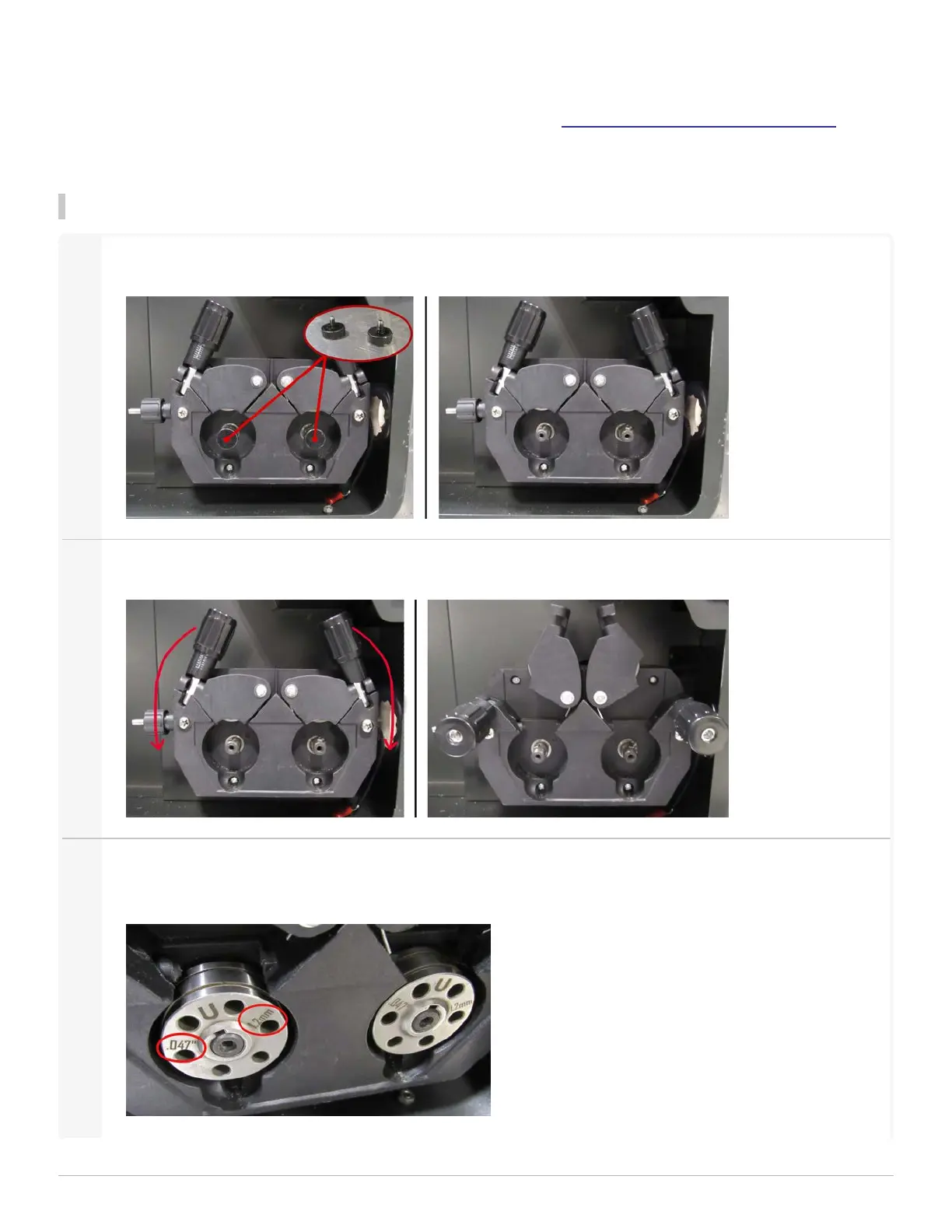
Step 1:Insert the Drive Rolls
1
Unscrew the Drive Roll Caps.
2
Pull down both the handles. This releases the drive roll covers.
3
The groove size corresponds with the wire diameter. The groove sizes are marked on the faces of the drive
rolls. Insert the Drive Rolls into the drive roll mechanism, with the desired groove label facing outward.
1 Getting Started
LightWELD WireFeeder Set-Up Guide
7


 To Next Page