Step 6:Syncing the Wire Feeder Unit and the LightWELD
1
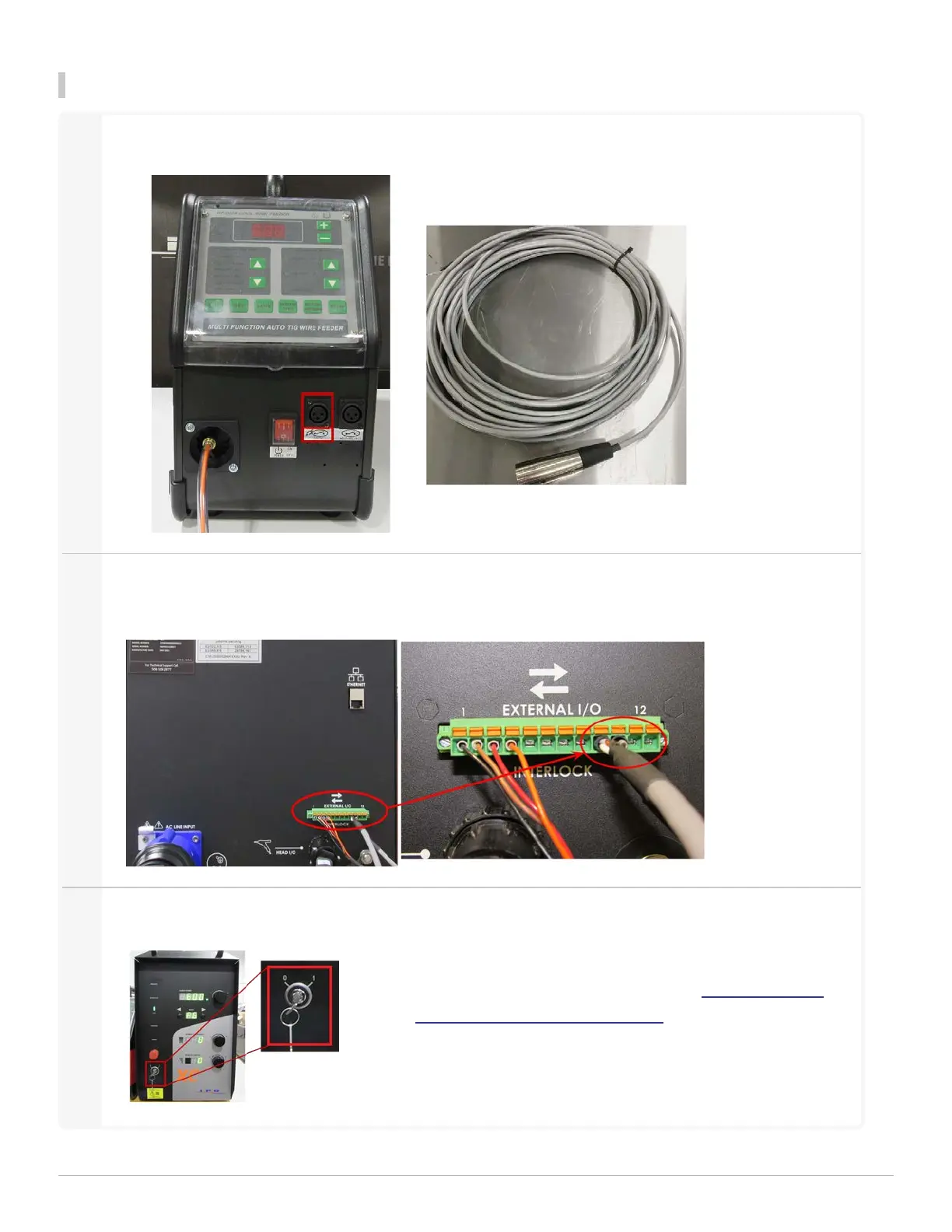
Attach the Synch Cable to the 'TORCH' port located on the front of the Wire Feeder.
2
Connect the synch cable wires to the 12-pin I/O connector on the back of the LightWELD unit as shown
below. Ensure the wires are attached to pins 9 & 10.
3
Turn the LightWELDunit on using the switch key.
For more information about understanding and using the
LightWELDpanel, review the video titled LightWELD1500
Initial Set Up and System Overview.
1 Getting Started
LightWELD WireFeeder Set-Up Guide
17


 To Next Page