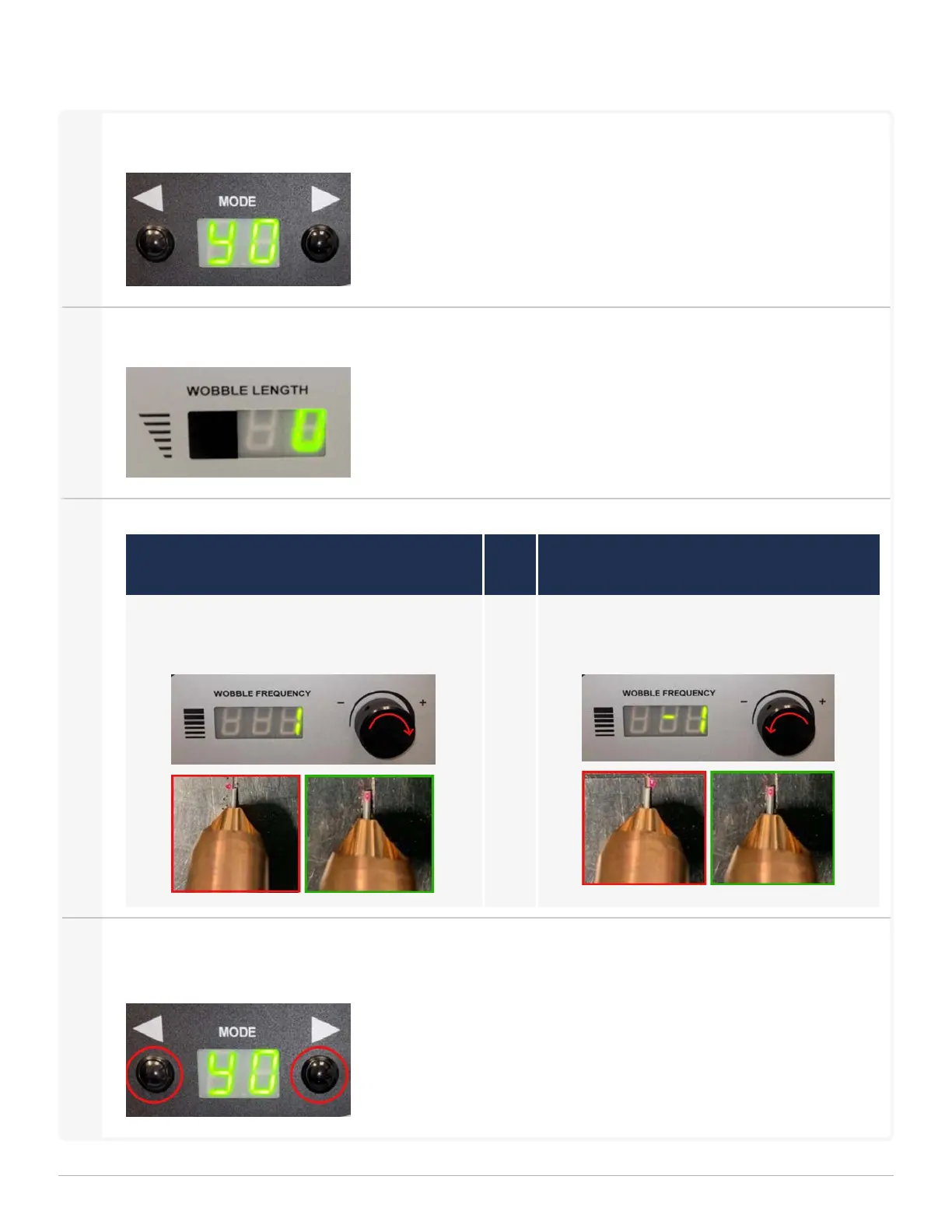
Centering the Guide Beam
1
Select program Y0. Press and hold button to cycle through programs.
2
Set the Wobble Length to '0'.
3
Use the Wobble Frequency Knob to adjust the beam until it is centered on the wire.
Situation 1:
Beam is to the left of the wire
Situation 2:
Beam is to the right of the wire
Turn the Wobble Frequency Knob clockwise
(+) to move the guide beam to the right.
Turn the Wobble Frequency Knob coun-
terclockwise (-) to move the guide beam left.
4
To save the beam position, press and hold Both Buttons simultaneously for 3 seconds. Once the display
stops blinking the program is saved.
1 Getting Started
LightWELD WireFeeder Set-Up Guide
23


 To Next Page