User’s Guide
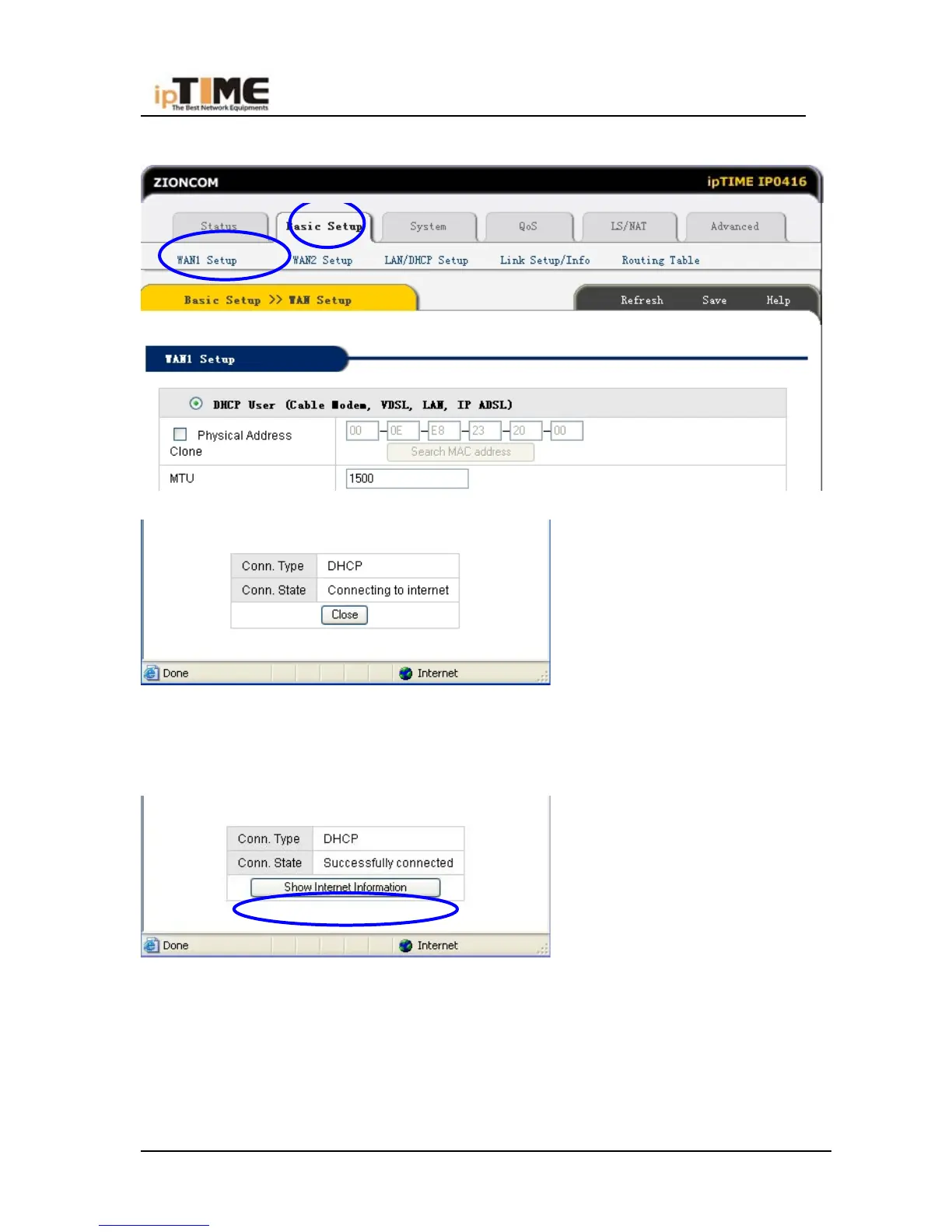
(5) If Conn. status is “Successful connected”, the configuration is correct.
(6) Click “Show Internet Information” and see the 6.5.1
(7) If connection status keeps to be “Connecting to Internet”, please do the
following steps:
* Close the pop-up window.
* Turn off Cable Modem power supply then on, and confirm the WAN LED
status.
-45- www.zioncom.net



 To Next Page