User’s Guide
(8) Re-click “Apply” button.
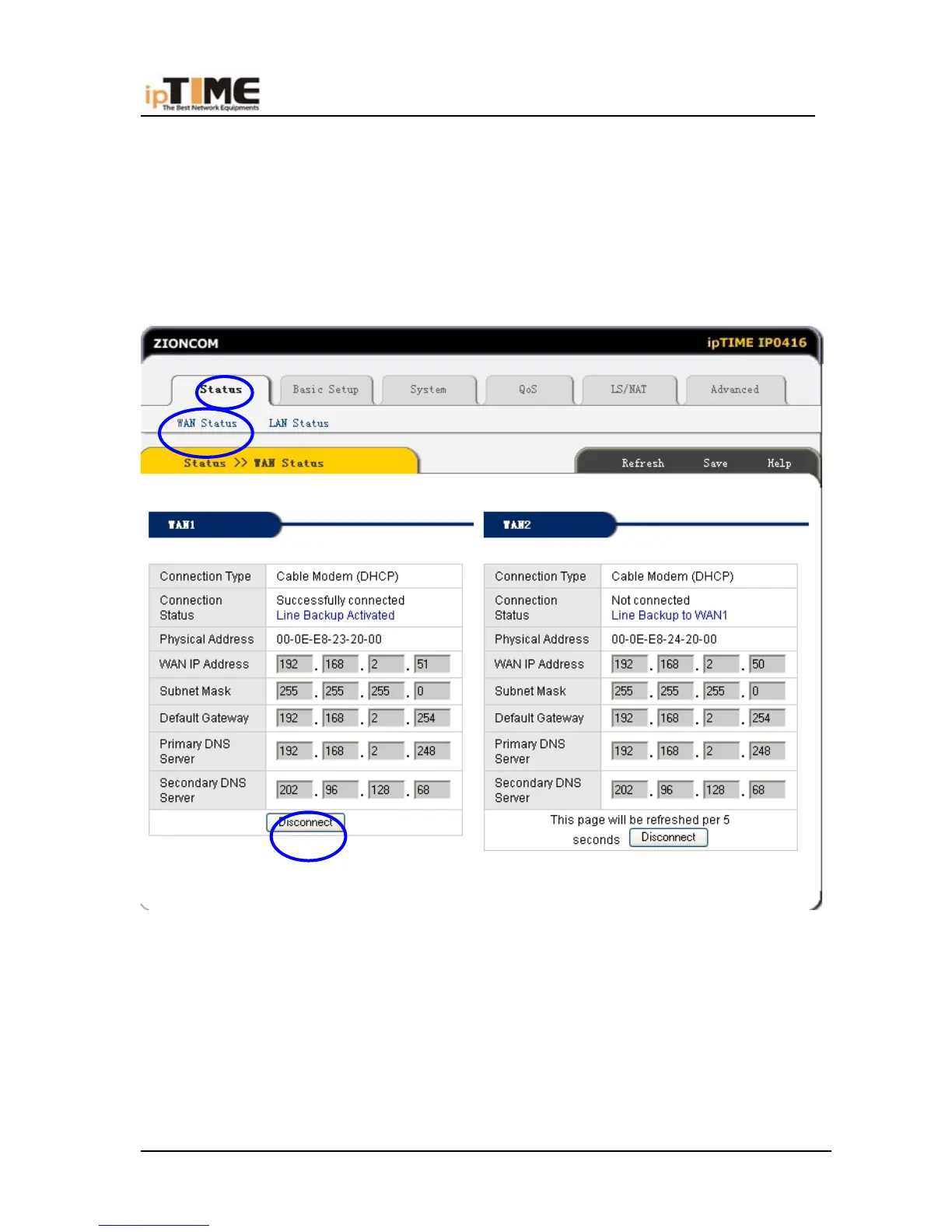
(9)Check the WAN Connection Status: If the status is “Successfully
connection”, click “Show Internet Information” to enter WAN status page; or click
Status->WAN status, as following diagram:
(10) If WAN connection is successfully established, you can see the following.
*Connection Type should be “Cable Modem(DHCP)”
*Connection Status should be “Successful connected”
*Physical Address is shows Router WAN port MAC Address.
*WAN IP Address, Subnet mask, Default Gateway, Primary DNS server and
Secondary DNS server in your computer may be different from the following value
-46- www.zioncom.net



 To Next Page