30 Getting Started
Installing the Battery
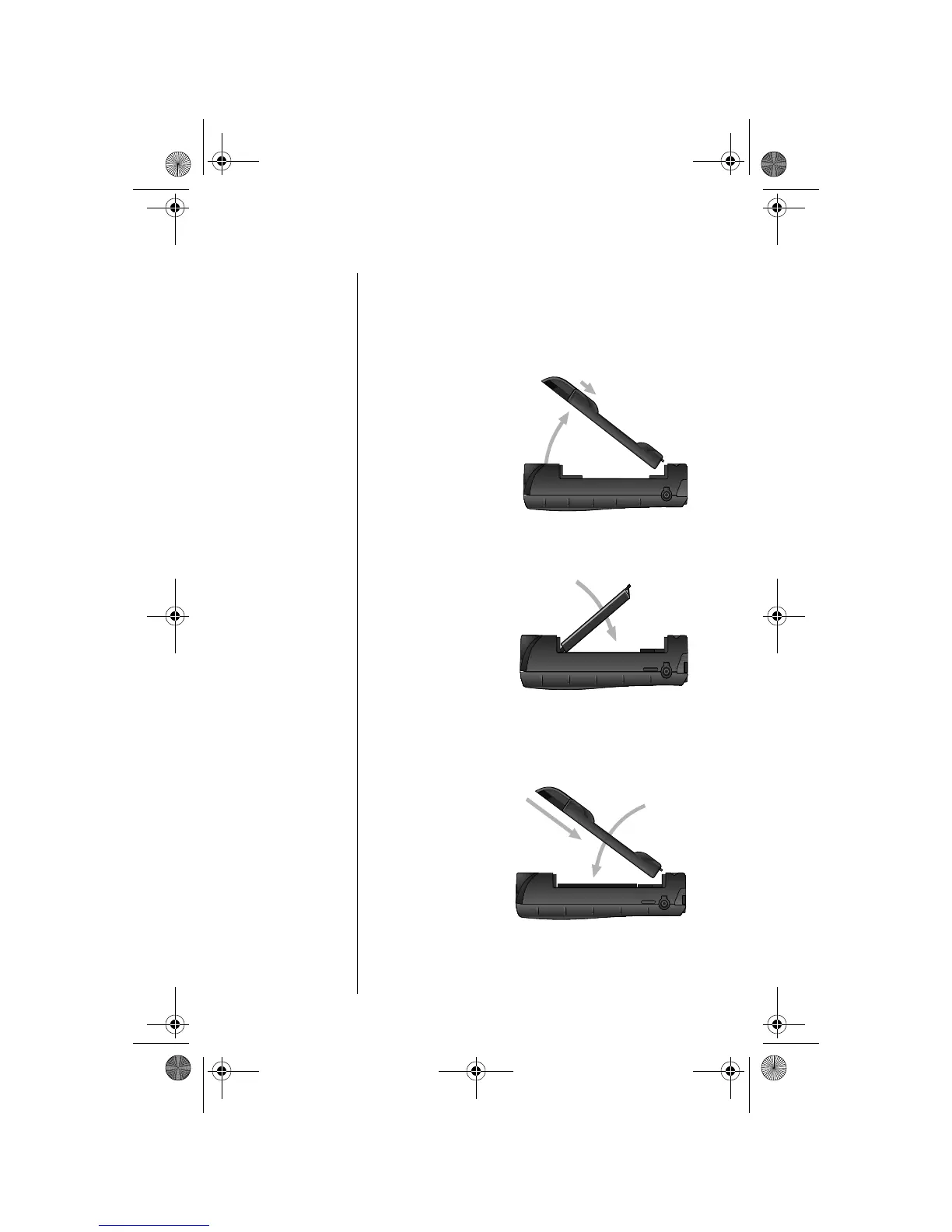
Insert the Battery
1. Remove or rotate the satellite antenna
before installing the battery. (See “Attaching
the Satellite Antenna” on page 26.)
Tip: The
battery
compartment is
located on the
back of the
phone.
2. Press and
hold the
release latch
at the top of
the battery
compartment
cover.
3. Pull the cover
upward, and
then remove it
from the phone.
4. Align the
arrows on the
battery with
the arrows in
the battery
compartment.
Insert the
battery,
bottom end first, into the compartment, and
then press the battery downward until it clicks
into place.
5. Insert the
bottom end of
the battery
compartment
cover into the
slots at the end
of the
compartment.
6. Snap the
cover down
into place.
3
2
4
5
6
05GetStart-kg.fm Page 30 Wednesday, November 3, 2004 9:36 PM








 To Next Page