Chapter 10 PROGRAM MODE
10-50 UNI-5 User’s Manual
10.7.2 CREATING NEW STORE DATA
1.
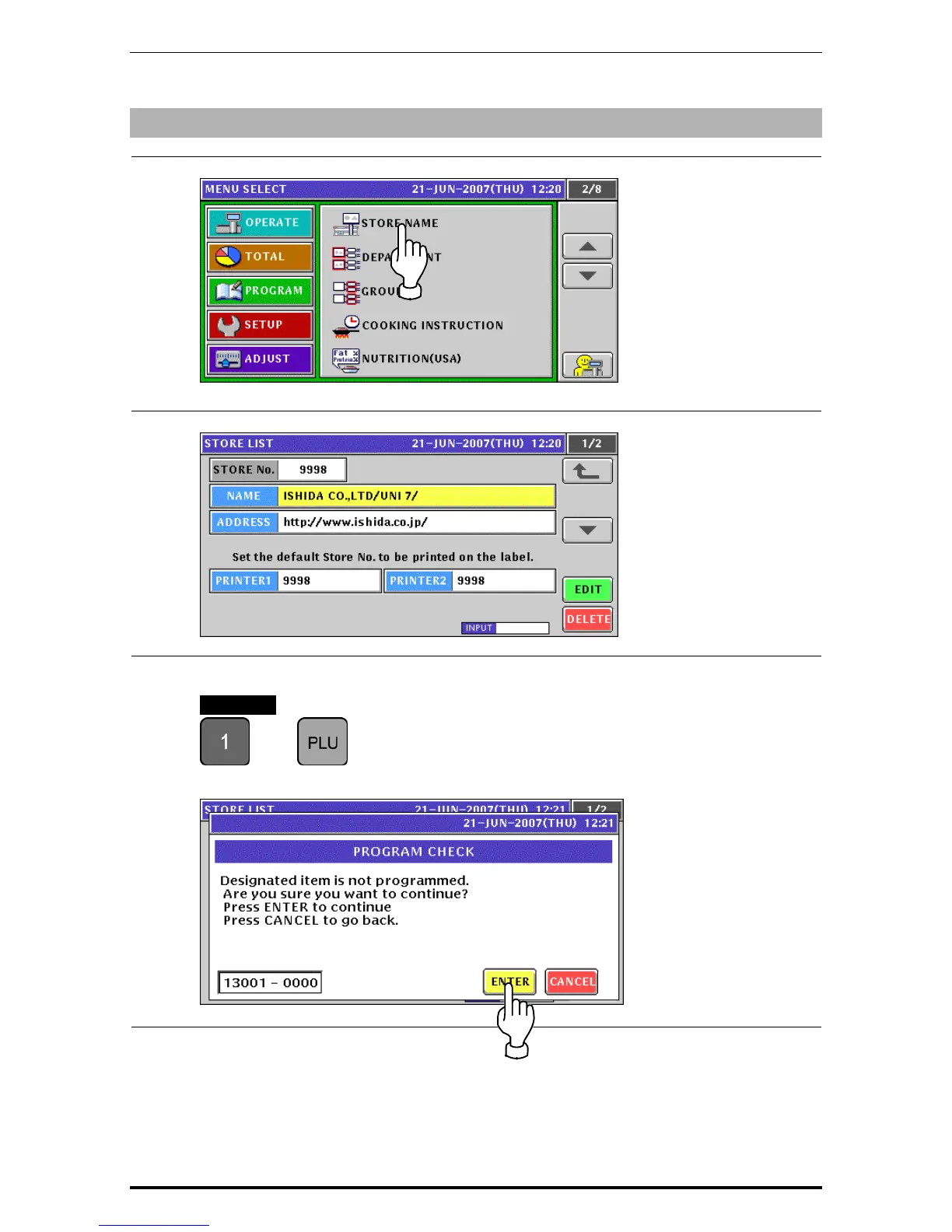
Press the “STORE NAME” field on the Program Menu Select screen.
2.
The default store data screen appears.
3.
When creating a new store data, enter the desired store number and press the [PLU] key.
EXAMPLE Store number “1”
Î
The confirmation screen appears. Then, press the [ENTER] button.


 To Next Page
 Loading...











