Chapter 10 PROGRAM MODE
10-116 UNI-5 User’s Manual
10.21 FREE MESSAGE REGISTRATION
10.21.1 CREATING NEW MESSAGES
1.
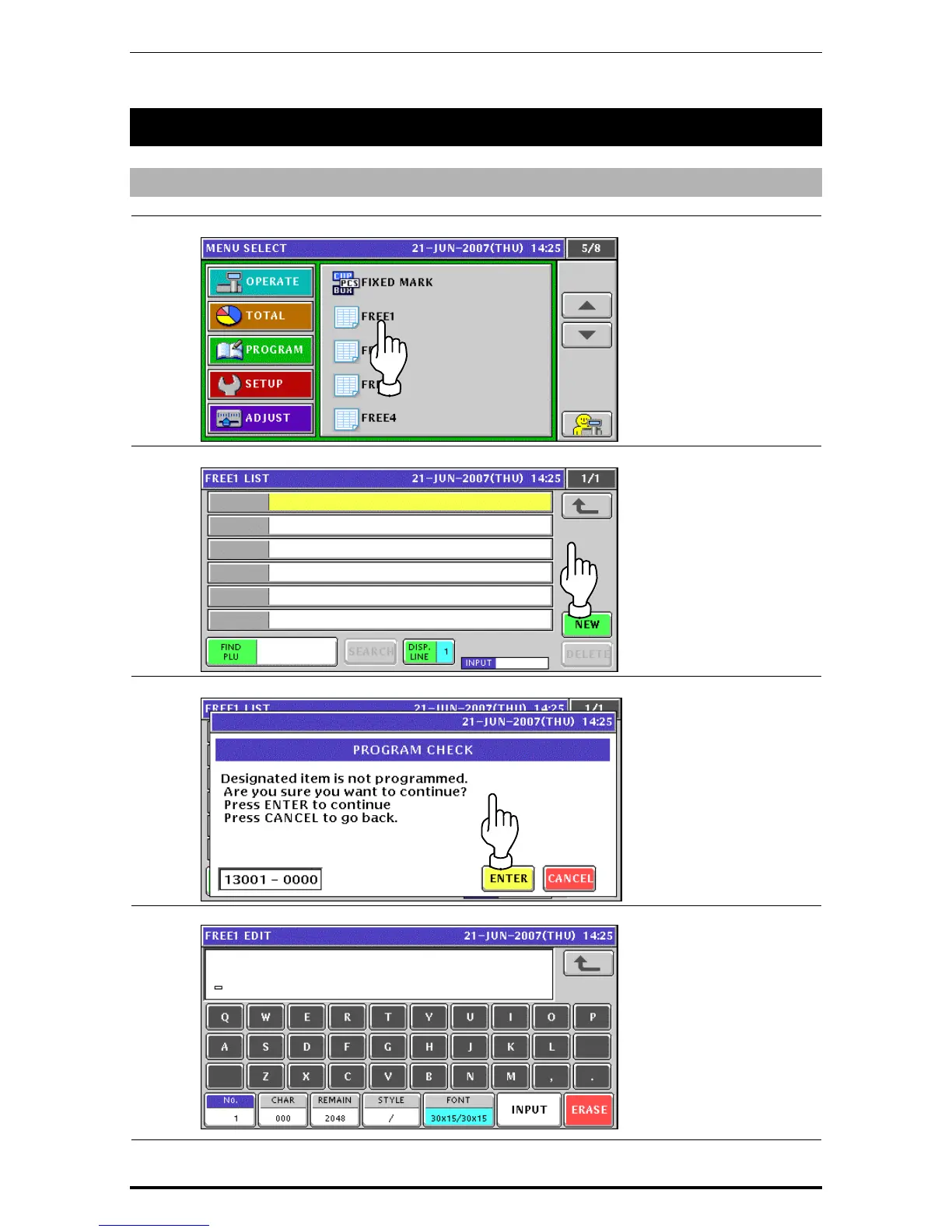
Press the "Free” field on the Program Menu Select screen.
2.
The Free Message List screen appears. Then, press the [NEW] button.
3.
The confirmation screen appears. Then, press the [ENTER] button.
4.
The Free Message Edit screen appears.


 To Next Page
 Loading...











