Chapter 10 PROGRAM MODE
UNI-5 User’s Manual 10-67
9.
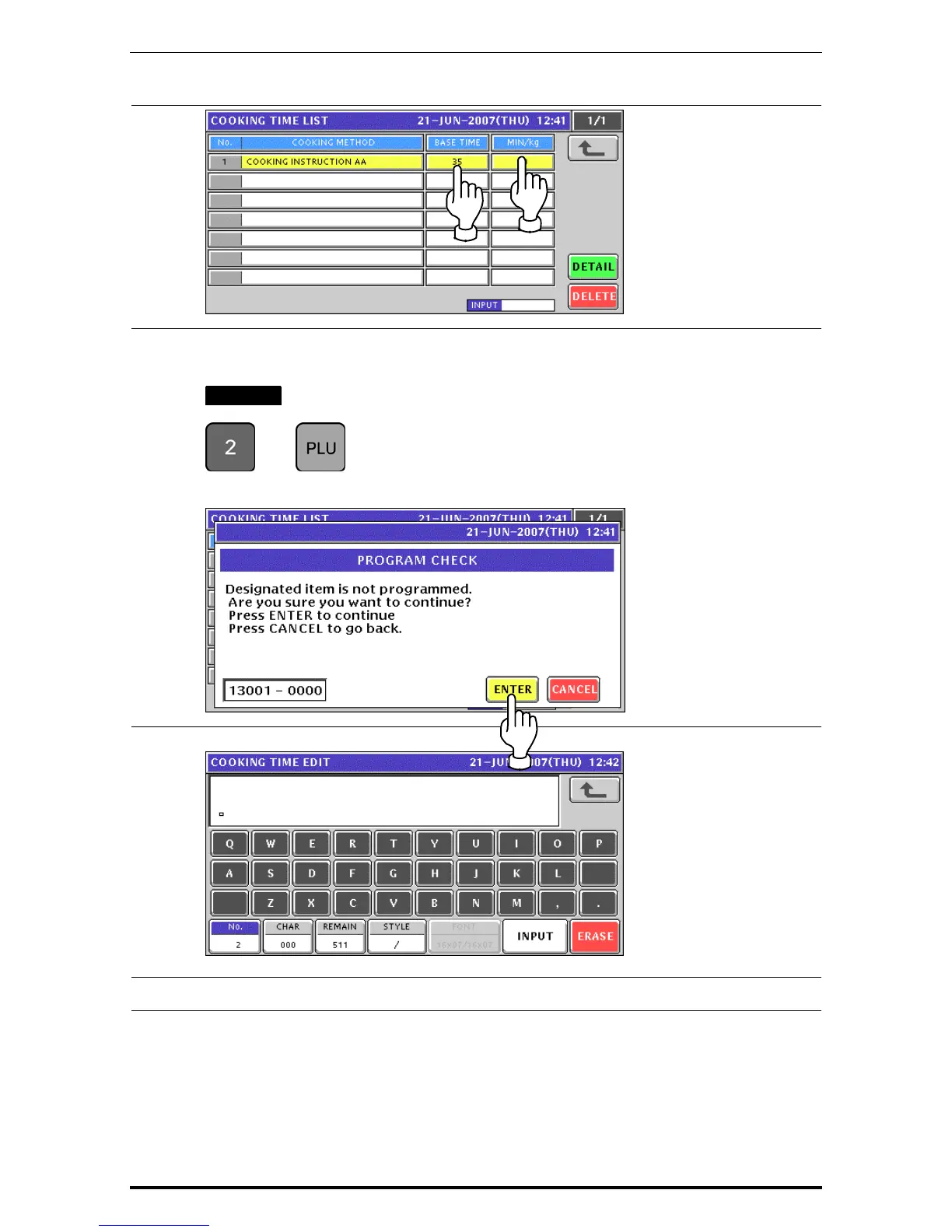
When creating more instructions, enter a desired cooking instruction number using the
numeric keys and press the [PLU] key on the key sheet.
EXAMPLE Cooking instruction number “2”.
Î
The confirmation screen appears. Then, press the [ENTER] button.
10.
The Cooking Time Edit screen appears.
11.
Repeat steps 5 through 10 for more registrations.


 To Next Page
 Loading...











