Need help?
Do you have a question about the Isolite E3MINI Series and is the answer not in the manual?
Lists essential safety precautions for using electrical equipment.
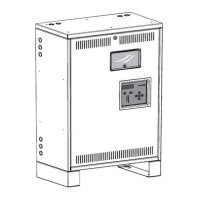
Details the physical construction and installation aspects of the unit.
Explains the advanced electrical technology and output capabilities.
Procedures for inspecting the inverter and batteries for shipping damage.
Guidelines for storing the system to ensure battery longevity.
Recommendations for choosing an appropriate installation site.
Defines the ideal environmental conditions for unit performance.
Requirements for proper airflow and cooling to prevent overheating.
Provides instructions and considerations for securely mounting the unit.
Step-by-step guide for connecting the incoming AC power supply.
Instructions for connecting the unit's output wires to lighting loads.
Visual guide showing AC input and output terminal connections.
Procedures for checking the condition of batteries prior to installation.
Steps for physically installing the batteries into the inverter system.
Illustrates the correct wiring for batteries in 125W and 250W models.
Detailed steps for powering on and initializing the system.
Procedures for safely powering down the unit.
Details maximum connected load and rated power for the system.
Explains the meaning of LED1 and LED2 for charging and inverter modes.
Describes minor and major alarms and their visual indicators.
Lists and explains faults occurring during system startup.
Lists and explains faults related to the battery charger operation.
Lists and explains faults occurring during inverter mode operation.
Details the system's startup sequence and diagnostics.
Explains the battery charging process and float voltage regulation.
Describes the system's operation during power outages.
Overview of different output configurations like Normally-On and Switched.
Contact information and availability for technical assistance.
Procedure for returning defective parts for service or replacement.
Periodic cleaning and system testing for ongoing upkeep.
Recommended inspection schedule and care guidelines for batteries.
Step-by-step instructions for safely replacing the unit's batteries.
Introduction to the dimming module and its operational capabilities.
How to adjust dimming levels using the user preset controls.
Details on wiring the dimming and fire alarm interfaces.
Diagram illustrating 0-10V dimming connections for emergency and normal lights.
Explains the functionality of switched command inputs and outputs.
Details how to use the DIM ADJ control for dimming adjustments.
Procedures for verifying the correct operation of the dimming feature.
Comparison of system behavior in charging and inverter modes.
Shows the wiring configuration for the Normally-On output.
Explains the typical applications for the Normally-On output.
Shows the wiring configuration for Normally-Off outputs.
Explains the typical applications for Normally-Off outputs.
Shows the wiring configuration for Switched Outputs.
Explains how to control Switched Outputs using command inputs.
Shows the wiring configuration for line voltage dimming.
Explains using N-ON output for dimming with bypass during inverter mode.
Illustrates wiring configurations for multiple outputs.
Explains how to mix and match outputs for various applications.

 To Next Page
 General