16
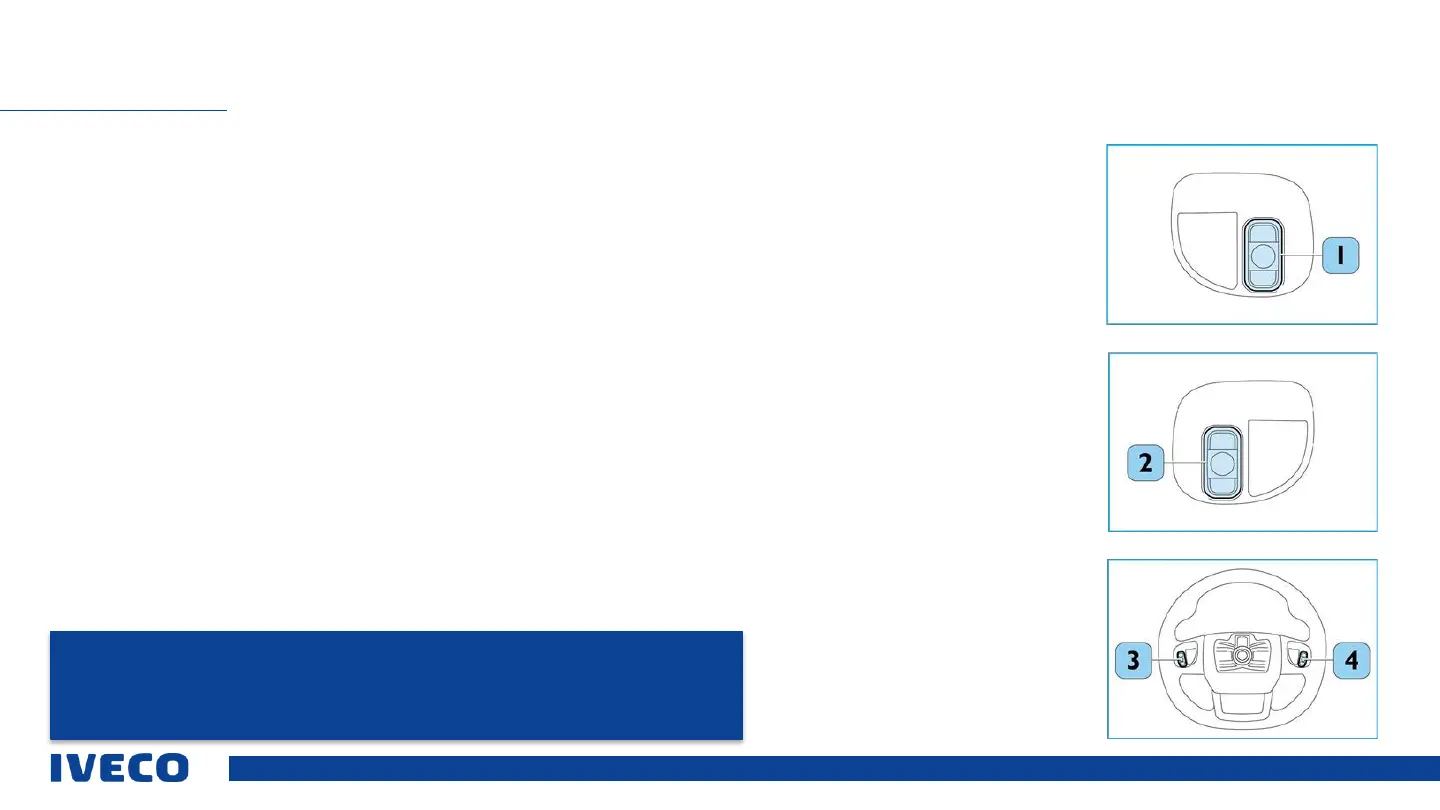
Rear operating element on the left side
Car radio operating element for broadcaster search:
▪ The (1) button starts the broadcaster search. While audio is being played from USB devices or devices connected via
Bluetooth, then the button can be pressed briefly to switch to the previous / next title, or can be pressed for longer to
fast forward or reverse. In radio mode, pressing the button briefly allows the user to switch to the previous/next
frequency, while pressing it for longer activates the “Auto Scan” function.
Rear operating element on the right side
Car radio operating element for volume regulation:
▪ Briefly press the (2) button to increase / reduce the volume. The user can press the button for longer to quickly
increase/reduce the volume.
Rear centre button
Right side - mute function (activation/deactivation):
▪ The user can press the centre button (3) to mute / restore the volume or pause / continue playing from USB devices or
devices connected via Bluetooth.
Left side - button to switch the source:
▪ The user can press the middle button (4) briefly to change the source.
OPERATING ELEMENTS ON THE STEERING WHEEL
NOTE: The descriptions apply to the steering wheel with the most extensive equipment.
Also please read the manual for your specific vehicle model.
Information on operating the radio correctly is provided in the manual.



 To Next Page