29
This function makes it possible to limit the vehicle’s speed to values that can be programmed by the driver. The maximum
speed can be programmed both while the vehicle is at a standstill, and while it is moving. The minimum programmable speed is
30 km/h. When the function is active, the vehicle speed will depend on the position of the gas pedal, until the programmed
limit speed is reached.
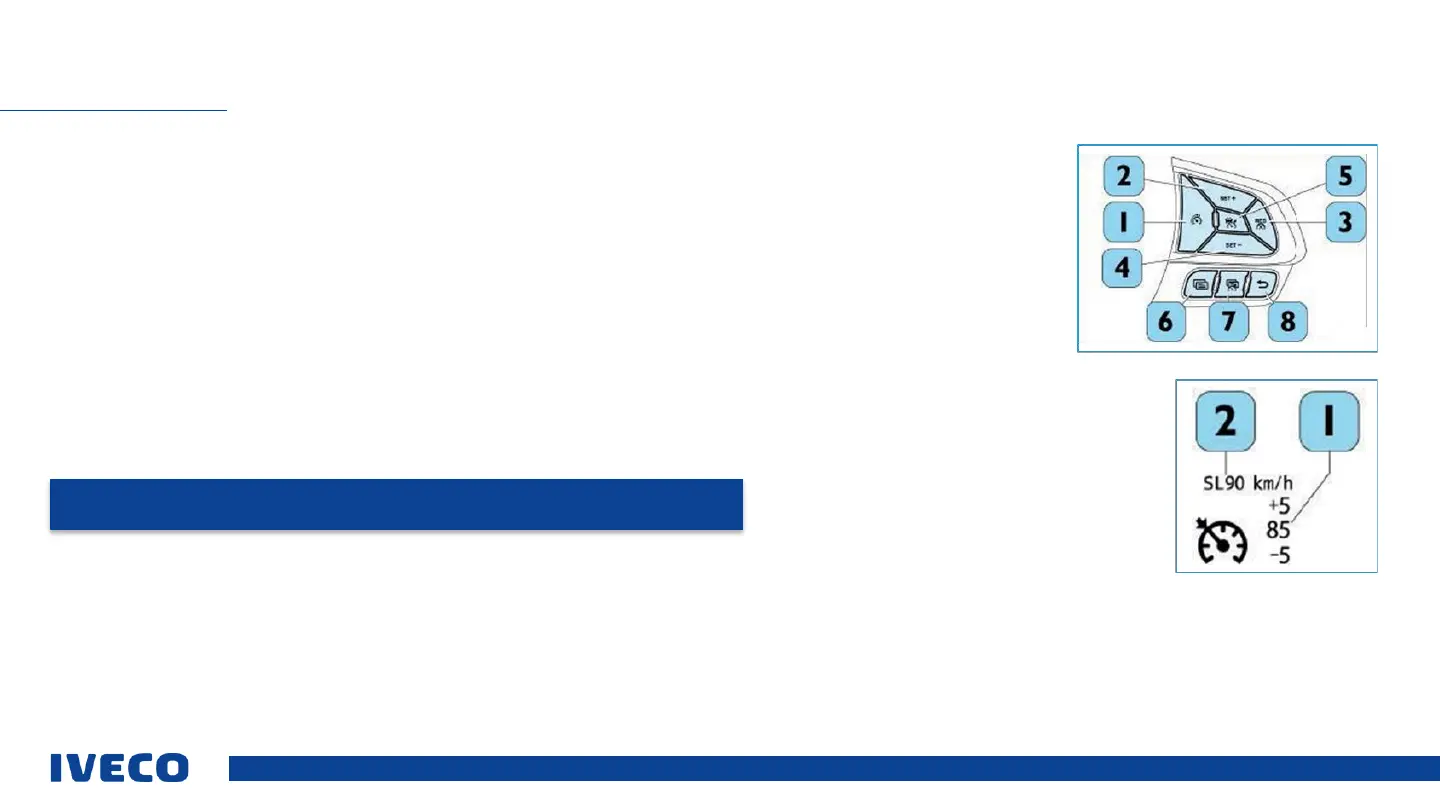
To switch off the function, press the (1) button on the steering wheel.
The buttons on the steering wheel apply for CC /ACC, and can be used to switch on the following functions:
▪ SET + (2): Programming limit speed (saving a higher speed value)
▪ SET – (4): Programming limit speed (saving a lower speed value)
▪ RES (3): Activating the device. When the function is activated, this is shown on the instrument panel display by the
symbol (green). Values set previously by the driver are not deleted.
▪ RES (3): Deactivating the device. When the function is deactivated, this is shown on the instrument panel display by
the symbol (white). Values set previously by the driver are not deleted.
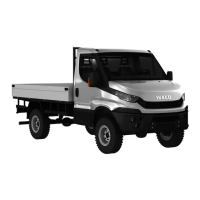
The set speed limit is shown on the display, along with the speed (2) of the CC:
▪ Saved speed for Cruise Control (1).
▪ Saved speed for the speed limiter (2).
▪ Cruise control automatically adjusts the set speed to the limit in the speed limiter.
▪ The value shown on the display SL is the maximum permitted speed, including all tolerances according to standard 94/24
CEE e 92/6 CEE
SPEED LIMITER - SL
NOTE: When the function is activated, the following functions will be deactivated: Cruise Control
(CC) / Adaptive Cruise Control (ACC).


 To Next Page