30
Cruise control keeps the desired driving speed constant, and also brakes the vehicle in certain situations.
Activation
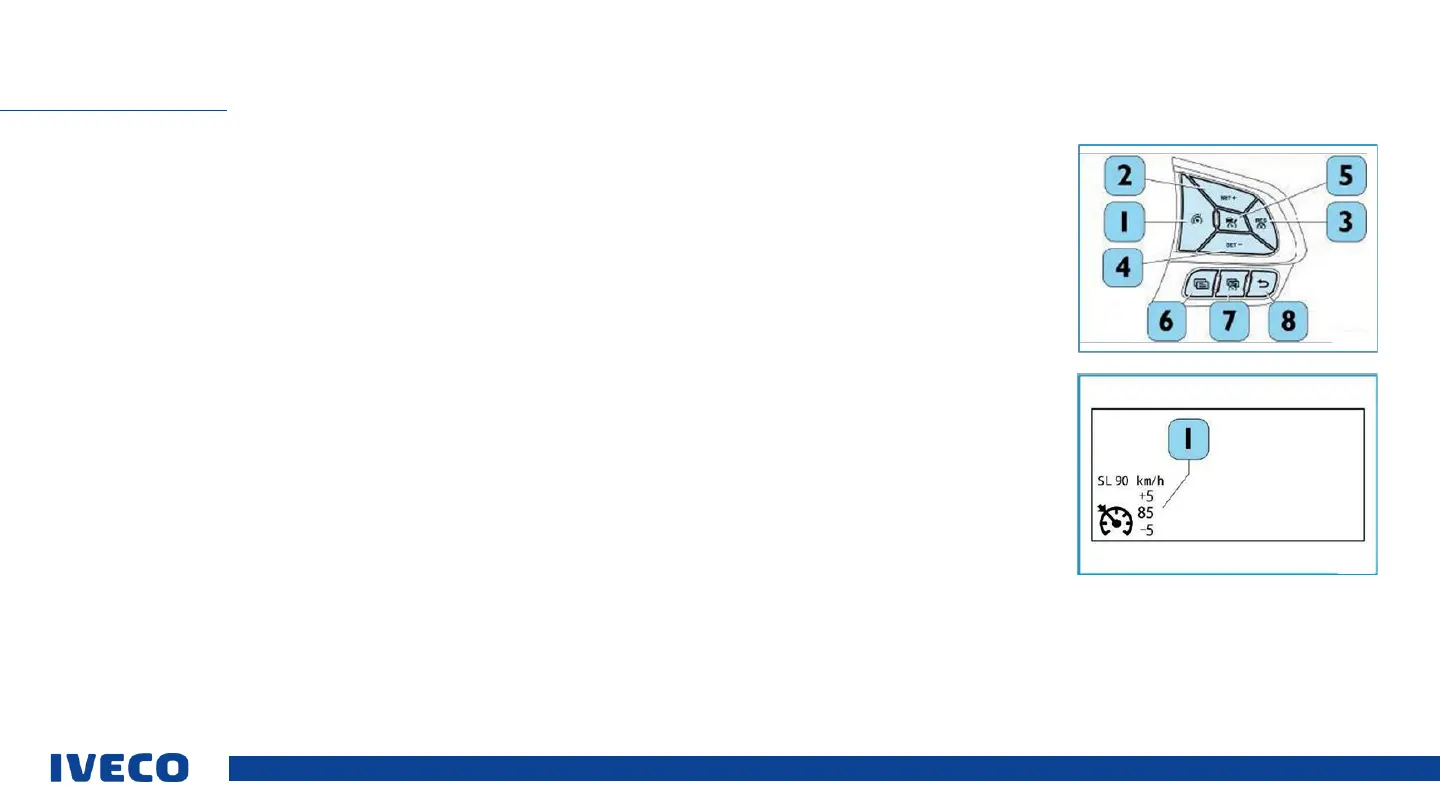
To activate the function, simply press the (3) button shown in the figure. The white symbol on the display of the dashboard
shows the driver that it is activated. If the “Speed Limiter” needs to be switched on, this function can be deactivated by pressing
the (1) button. The (1) button must be pressed at the request of the driver for activation.
Setting / adjusting the speed
When the function is active and the symbol is white, and no speed is displayed, the cruise control can be activated by pressing the
buttons (2) SET + or (4) SET with the current speed of the vehicle. If the function is activated with a driving speed, but is not
active, then the display will be white at the indicated speed; in this case, pressing the (3) RES button will activate the Cruise
Control and the vehicle will maintain the set speed. The buttons (2)SET + or (4)SET - can be used for fine adjustment of the
desired speed. The vehicle will travel at the set speed after the gas pedal is released.
If the driver presses the gas pedal and the function is active with the set speed, then the function will be cancelled temporarily,
since the driver is taking a clear action to take over control of the vehicle (symbol remains green). The function will take over once
again when the driver takes pressure off of the pedal within a certain time period and only exceeds the set speed by a certain
threshold value. If the driver presses the gas pedal for longer than the defined time or exceeds the set speed by more than the
defined threshold value, then the function will be deactivated (white symbol).
CRUISE CONTROL-CC


 To Next Page