56
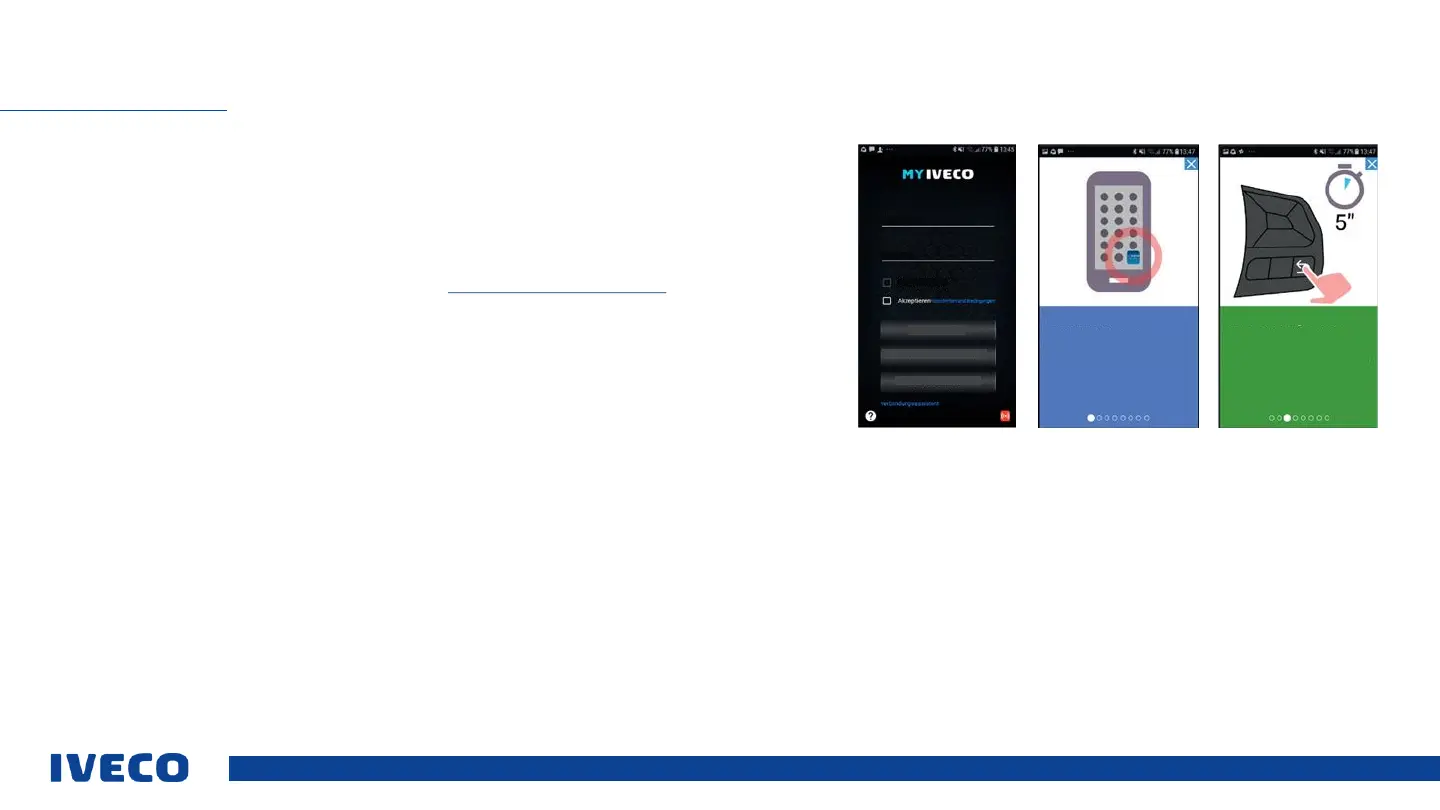
Instructions for using the MY IVECO EASY WAY App Only a few steps are required for you
to use the MY IVECO EASY WAY App in your vehicle. This manual guides you through the
registration process, and teaches you how to activate all of the app functions on your device.
▪ Please download the app to your device from the Google Play Store or Apple App Store.
▪ Register in the app or the MY IVECO Portal at https://www.iveco-on.com
▪ Switch on the ignition and start the app while you are seated in the vehicle
▪ In the app, select the menu option “Connection assistant” and follow the instructions
After you have successfully completed the connection to the vehicle, you can control the following
function via the app:
▪ Stationary air conditioning system, stationary heating, interior lighting
To control other functions using the app, the vehicle owner needs to complete a few steps in MY
IVECO. These are described on the next page.
MY IVECO EASY WAY APP
Welcome!
The application allows you to control
many functions of your IVECO vehicle
remotely.
Start the connection
To start the Bluetooth connection, press
and hold the BACK button on the
steering wheel controls for at least 5
seconds with the vehicle stopped. The
PIN for Bluetooth will be displayed on
the instrument panel.
Easy Way
User name
Password
Remember user
LOG IN
REGISTRATION
CONTINUE AS A GUEST


 To Next Page