Working chamber
You can mount materials and insert tools into the
working chamber. This is where the materials are
processed.
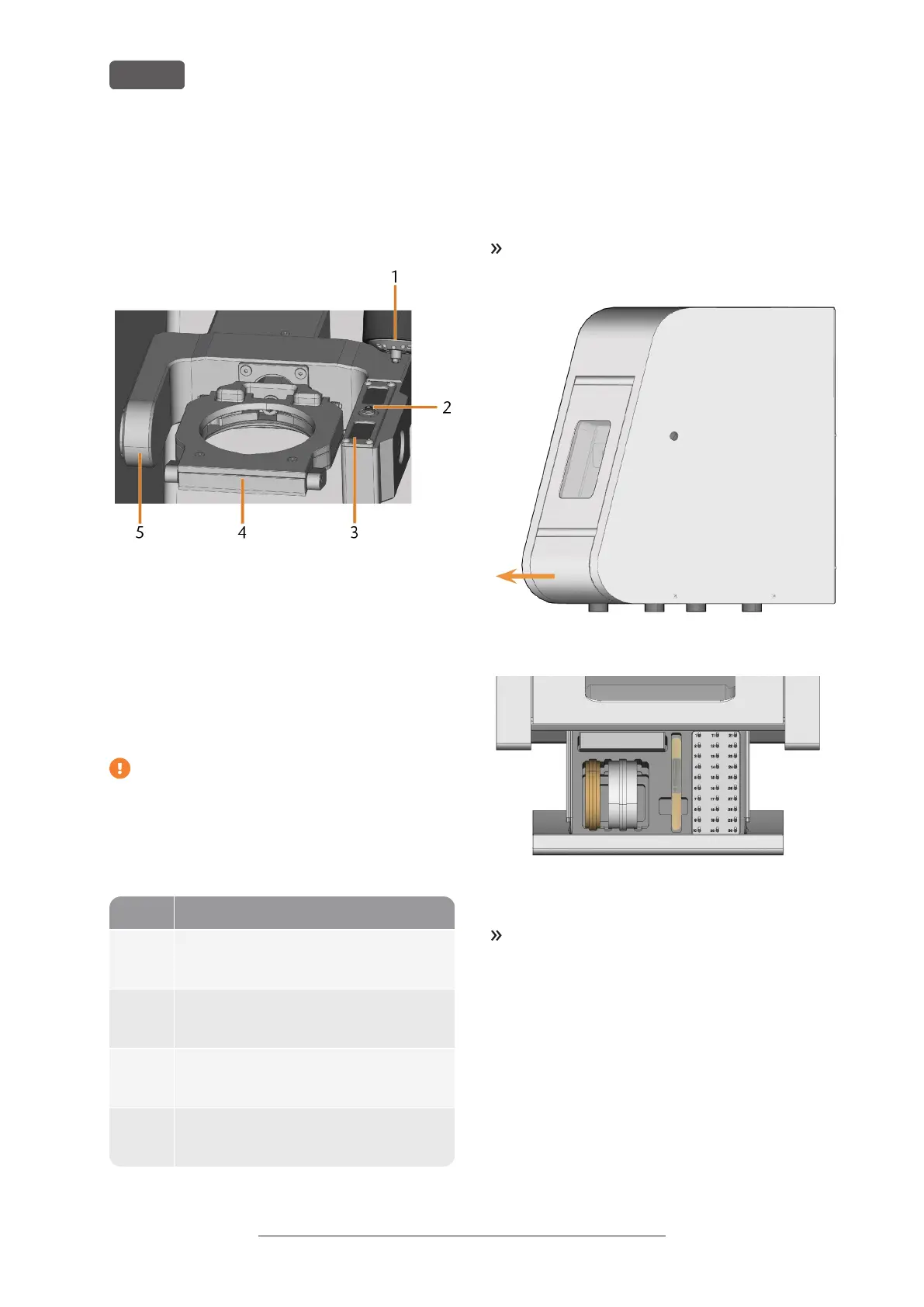
FIG. 4 – WORKING CHAMBER
1. Spindle with collet chuck for picking up tools
2. Measuring key
3. Tool magazine
4. Material holder; rotational axis A
5. Rotational axis B
Colours of the working chamber lighting
If the working chamber lighting is insufficient,
provide additional lighting.
The machine illuminates the working chamber in
different colours. The colour will change depending on
the state of the machine. You will find the colours and
respective machine status in the following table:
Colour Status
Green The machine is ready for operation.
You can open the working chamber door.
White The machine is ready for operation.
The working chamber door is open.
Blue The machine is operating.
The working chamber door is locked.
Red A machine malfunction has occured.
The working chamber door is locked.
Accessories container
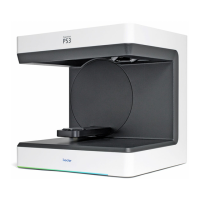
In the accessories container below the working
chamber, you can store materials, tools, and the
spindle service set.
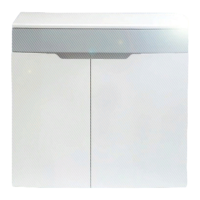
To access the accessories container, manually pull
it out of the machine.
FIG. 5 – OPENING THE ACCESSORIES CONTAINER
FIG. 6 – ACCESSORIES CONTAINER (MATERIALS AND TOOLS
NOT PROVIDED)
To close the accessories container, push it into the
machine until it is completely closed.
Operating Instructions:PrograMill Dry
Version: 11/19/2020
PrograMill Dry – Machine overview
EN 10


 To Next Page