4 Machine overview
With your PrograMill Dry, you can process discs of
different materials to create high quality objects for the
dental sector. You can find a list of the materials which
you can process with the machine in the manu-
facturing software.
The machine is designed for dry machining.
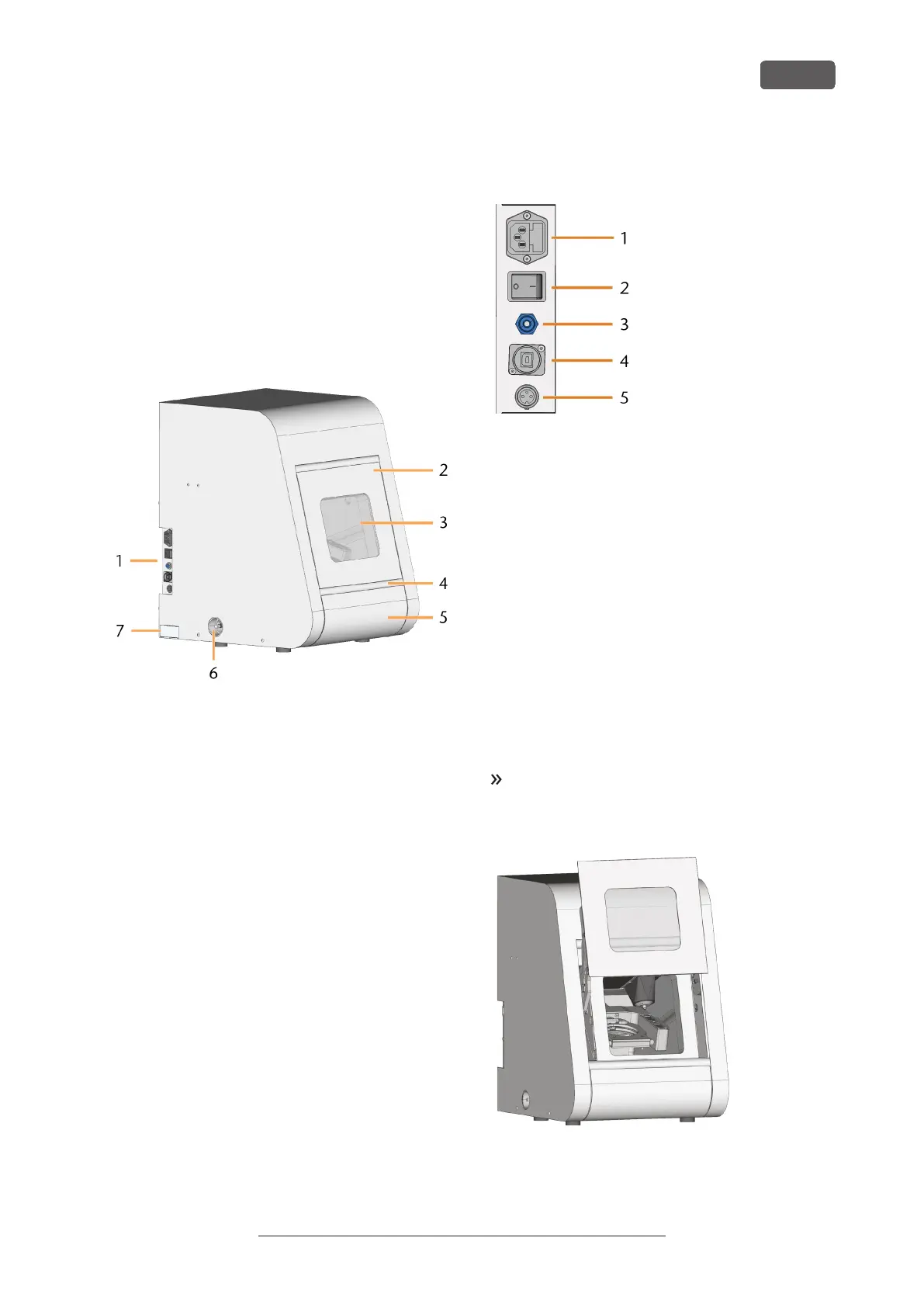
Front side of the machine
FIG. 1 – FRONT SIDE OF THE MACHINE
1. Connection panel
2. Working chamber door
3. View window to the working chamber
4. Recessed grip for opening the working cham-
ber door
5. Accessories container
6. Suction opening for the air extraction system
7. Identification plate
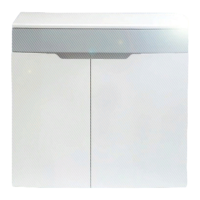
Connection panel
FIG. 2 – CONNECTION PANEL
1. Power connection including glass fuse T6.3A
L250V
2. Main power switch
3. Pneumatic connection (6 mm push-in fitting)
4. USB port
5. Suction control connection
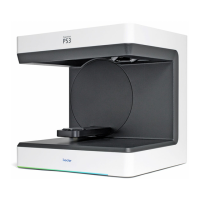
Working chamber door
The working chamber door locks the working chamber
and protects the user from injuries during operation.
You can open and close the working chamber door
manually.
You cannot
open the door
when the machine is
switched off or while the axes are moving.
To open or close the working chamber door, pull it
upwards or push it downwards with your hand. Use
the recessed grip of the door.
FIG. 3 – WORKING CHAMBER DOOR
PrograMill Dry – Machine overview
EN 9
Operating Instructions:PrograMill Dry
Version: 11/19/2020


 To Next Page