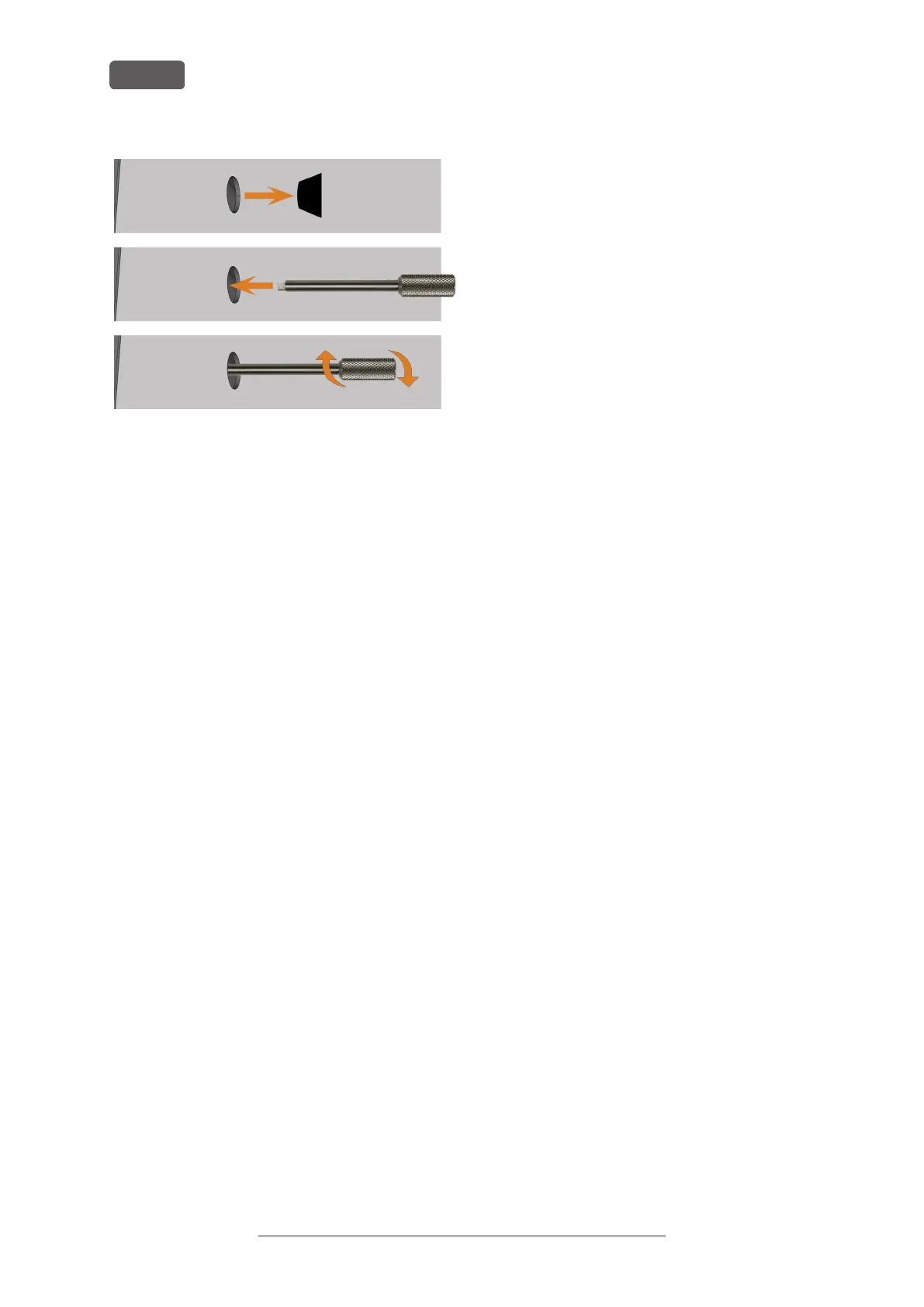
FIG. 25 – USING THE KEY FOR THE EMERGENCY
RELEASE
Above: Removing the cap
Middle: Inserting the key
Below: Turning the key
3. Open the working chamber door.
4. Carry out your work in the working chamber.
5. Close the working chamber door.
6. Reactivate the safety interlock of the working
chamber door by turning the key for the emer-
gency release clockwise by 90°.
7. Check if the working chamber door actually is
locked.
8. If you can still open the working chamber door,
repeat the 3 previous steps.
9. Close the opening for the emergency release
again with the protective cap.
Operating Instructions:PrograMill Dry
Version: 11/19/2020
PrograMill Dry – Operation: Processing jobs
EN 30


 To Next Page