J2 225 System Manual
Version 1.0 May 29, 2012
Step 7:
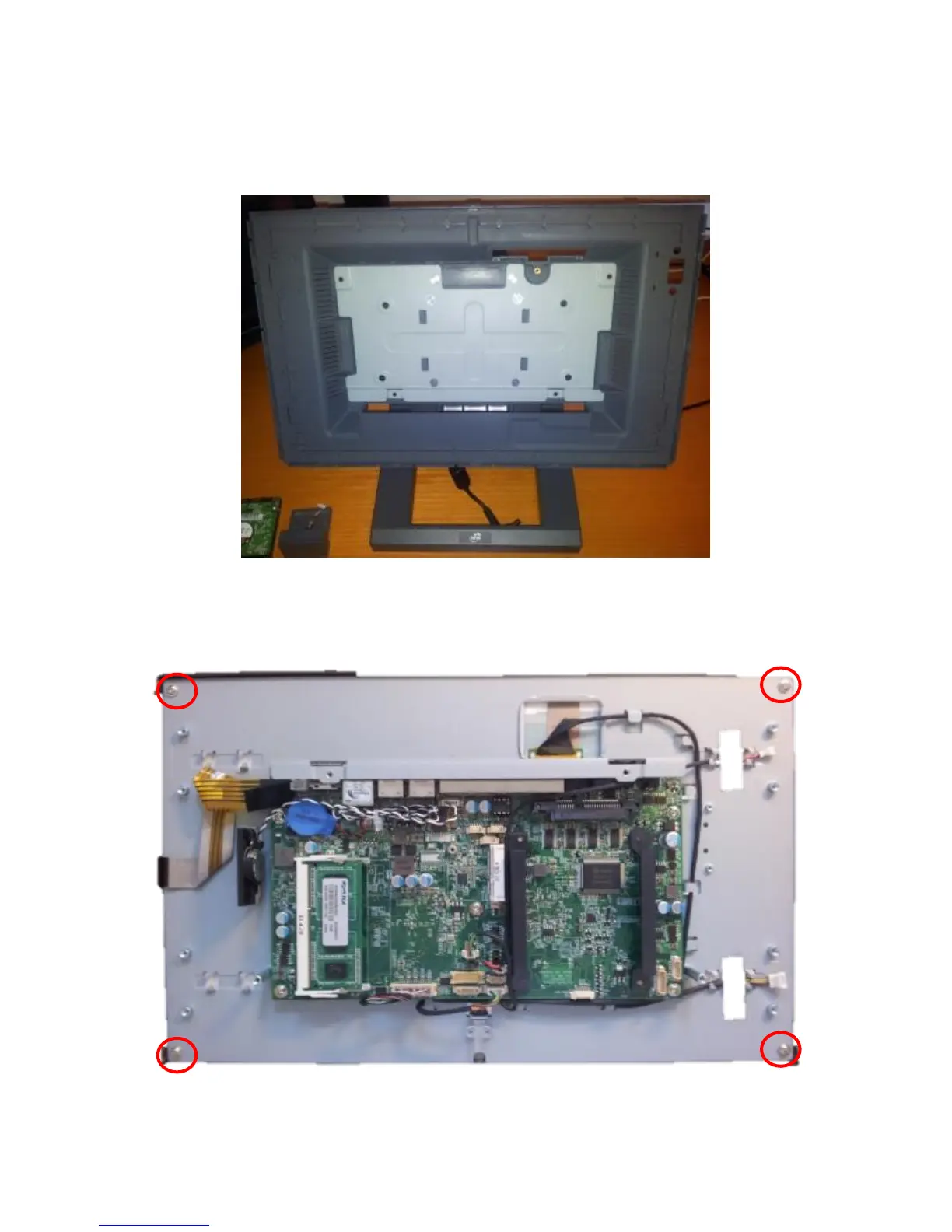
Carefully remove the back cover by laying the bezel/LCD/electronics assembly on a clean
protected surface that will not scratch or damage the touch screen.
Touch Screen/LCD Panel removal:
The touch screen or LCD panel can now be removed by detaching the touch screen cable and
removing the four screws, as shown below. Carefully unplug the LCD panel when removing.



 To Next Page