English
Remove the plug from the power socket before any maintenance and/or servicing work.
Do not touch the blade, even if it is stationary.
To replace the blade, have the work done by your approved dealer.
Always wear cut-resistant gloves when replacing the blade or when working in the vicinity of the
blade.
Any maintenance work or replacement of parts must be carried out by a qualified individual.
6 CONTROLS AND SAFETY FEATURES
6.1 Controls:
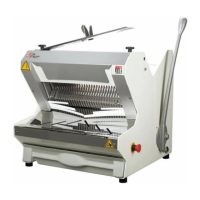
Your slicer is fitted as standard with an emergency stop button (fig.1, n°5).
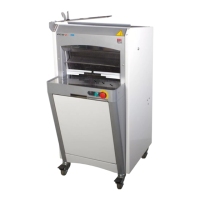
An illuminated button to start and/or reset the machine (MRL – MRM) (fig.2, n°17).
An indicator light (MRP – MRQ) (fig.1, n°17).
An isolator switch (MRL ETL – MRP ETL) (fig.7, n°30).
Some machines are equipped with a digital display (fig.6) (MRK – MRF – MRL ETL) which can be
used to:
- Switch on the screen on the machine (fig.6, n°26).
- Switch off the screen on the machine (fig.6, n°28).
- Reset the cut counter on machines with this feature, by pressing the two buttons located under
the ISC logo simultaneously for 5 seconds (fig.6, n°27).
- Reset the oil counter (MRF) (fig.6, n°29).
- Programme the various settings on the machine (to be done by an approved agent only) (fig.6,
n°27).
This display will show you:
- The number of loaves cut.
- Whether your blades need to be replaced.
- If a safety cut-out has tripped.
6.2 Work area:
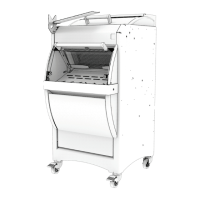
The work area is at the front of the machine (fig.3, n°21).
6.3 Safety features:
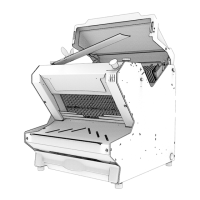
A safety switch (fig.1, n°10) that prevents the machine from operating if the rear cover (fig.1, n°10)
(MRP – MRK – MRF – MRP ETL – MRQ) is open.
This machine is equipped with:
A safety switch (fig.1, n°11) that prevents the machine from operating if the rear cover (fig.1, n°1 &
fig.2, n°20) (MRP – MRK – MRF – MRP ETL– MRQ) is open.
A photoelectric cell light curtain (fig.2, n°16) that prevents the machine from operating when the
beam is broken (optional) (MRL – MRM).


 To Next Page
 Loading...