17
07610-004-04-18-R
WASH
TEMPERATURE
TEMERATURA
DEL LAVADO
RINSE
TEMPERATURE
TEMPERATURA
DE ACLARADO
RINSE
PRESSURE
ENJUAGUE
PRESIÓN
F/C
R
I
N
S
E
A
I
D
P
R
I
M
E
D
E
L
I
M
E
D
E
T
E
R
G
E
N
T
P
R
I
M
E
P
O
W
E
R
F
L
U
S
H
TROUBLESHOOTING
MAINTENANCE
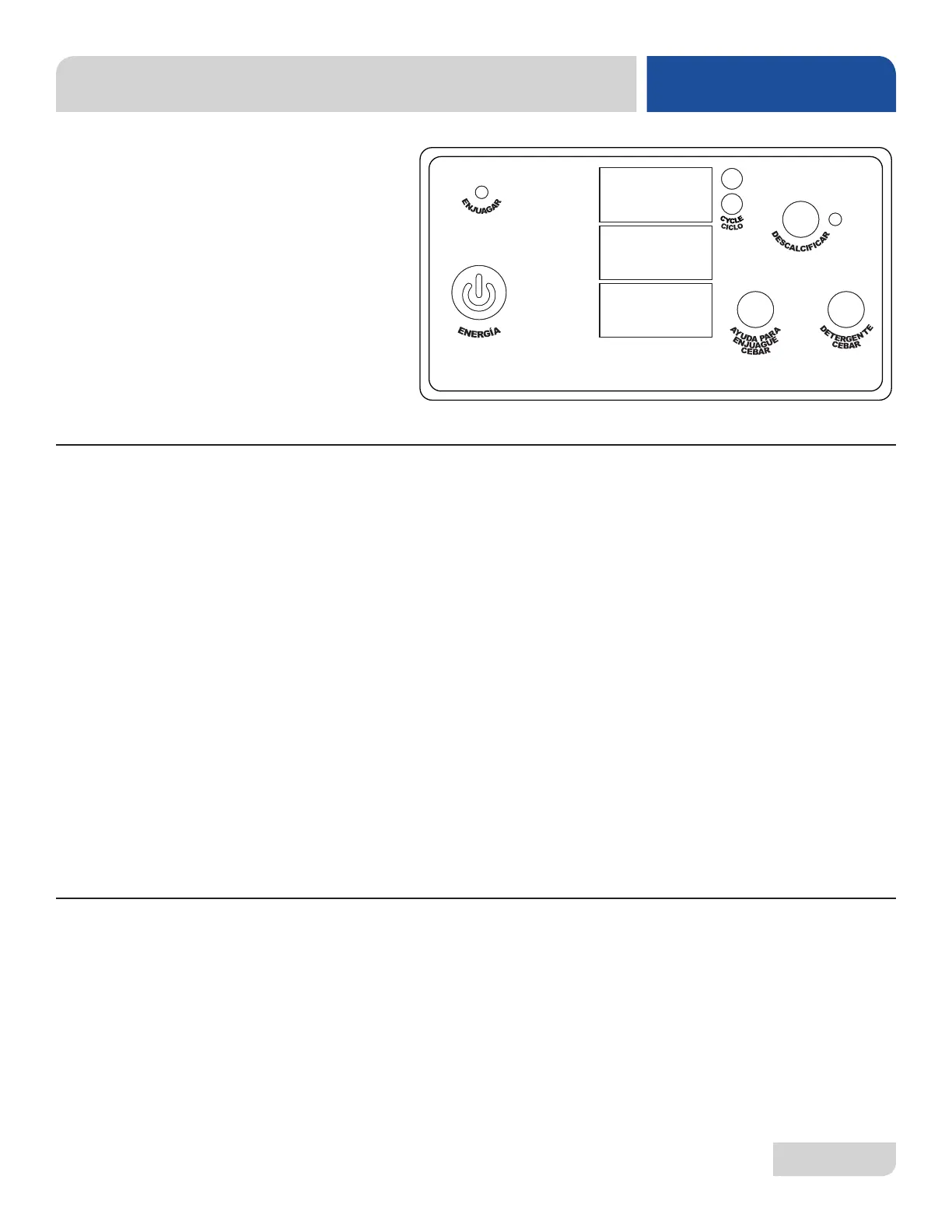
The "Flush" light will activate after the unit has completed a predetermined number
of cycles. When this light activates it is recommended that the user complete a ush
cycle as detailed in the steps below.
1. Open the machine door.
2. Remove the standpipe and set aside.
3. Close the door.
4. Press the power button.
• When the power button is pressed the machine will start draining.
5. Once the drain cycle is complete, open the door and verify that the wash
tank is empty.
• If the wash tank is not empty, close the door and press the power
button twice to start a second drain cycle.
6. When the machine is fully drained, reinstall the standpipe, close the door
and press the power button.
• Once the ll cycle is complete, the machine will be ready for regular use.
If the machine sees a fault*, the delime and "Flush" light will start to ash. Faults will
generally clear through completion of a drain or wash cycle, but some faults indicate a
serious issue in the dishmachine and may require additional support.
*See PLC Troubleshooting section for more information on faults.
FLUSH CYCLE
FAULT INDICATION
AVENGER
HT-E DISPLAY




 To Next Page