19
07610-004-04-18-R
Millenium 3
Crouzet
FAULTS:
6
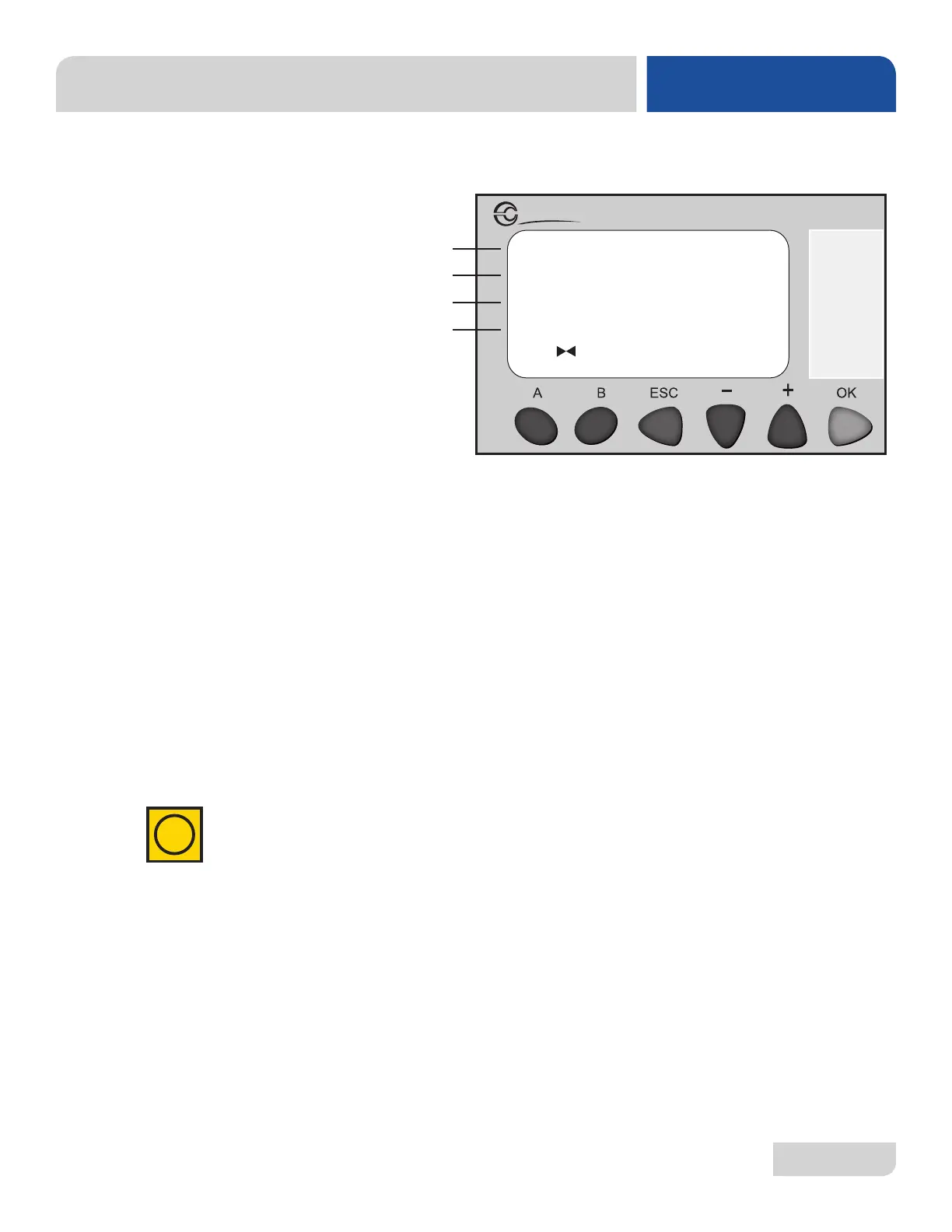
The “Faults” screen will be displayed when the operator has pressed “A” or “B” to cycle
through screens and is intended to show the technician any faults that have occurred.
A
B
C
D
PLC TROUBLESHOOTING
MAINTENANCE
SCREEN 2:
FAULTS
Line C will show any fault observed from previous cycles. The faults will be identied as
1 through 6 and are detailed below (multiple faults can be active at the same time):
Fault 1: Indicates the horizontal oat switch did not close during the initial ll.
• Open the door and check the water level. If low, turn machine off then
back on to start an additional ll cycle.
Fault 2*: Indicates the vertical oat switch has activated and the machine is overlled.
• To clear this fault, verify the water level and remove the standpipe.
• Attempt to drain the machine by cycling power on then off.
• If the machine is not overlled, manually trigger the oat switch and verify
status of input on PLC.
Fault 3: Indicates the horizontal oat switch opened for more than ve seconds.
• Allow cycle to complete to determine if Fault 3 clears.
• If not, open the door and verify the standpipe is fully seated, strainers are
in place, and water level is low.
Fault 4: Indicates SaniSure™ was active for the maximum wash cycle time.
• Verify incoming water meets minimum temperature and pressure on the data plate.
• Adjustment of rinse tank differential setpoint might be needed (see screen #7).
Fault 5: Indicates Fault 4 has been activated for ve consecutive cycles.
• If Fault 5 is active, contact technical service for assistance.
Fault 6: Indicates the drain cycle has completed and the hortizonal oat switch is still
active.
• Verify standpipe is removed before turning the machine off.
• Verify water level. If high and standpipe is removed, verify there are no
clogs in the drain line.
* Faults 2 and 5 will prevent the unit from cycling.
i




 To Next Page