07610-004-37-13-R
11
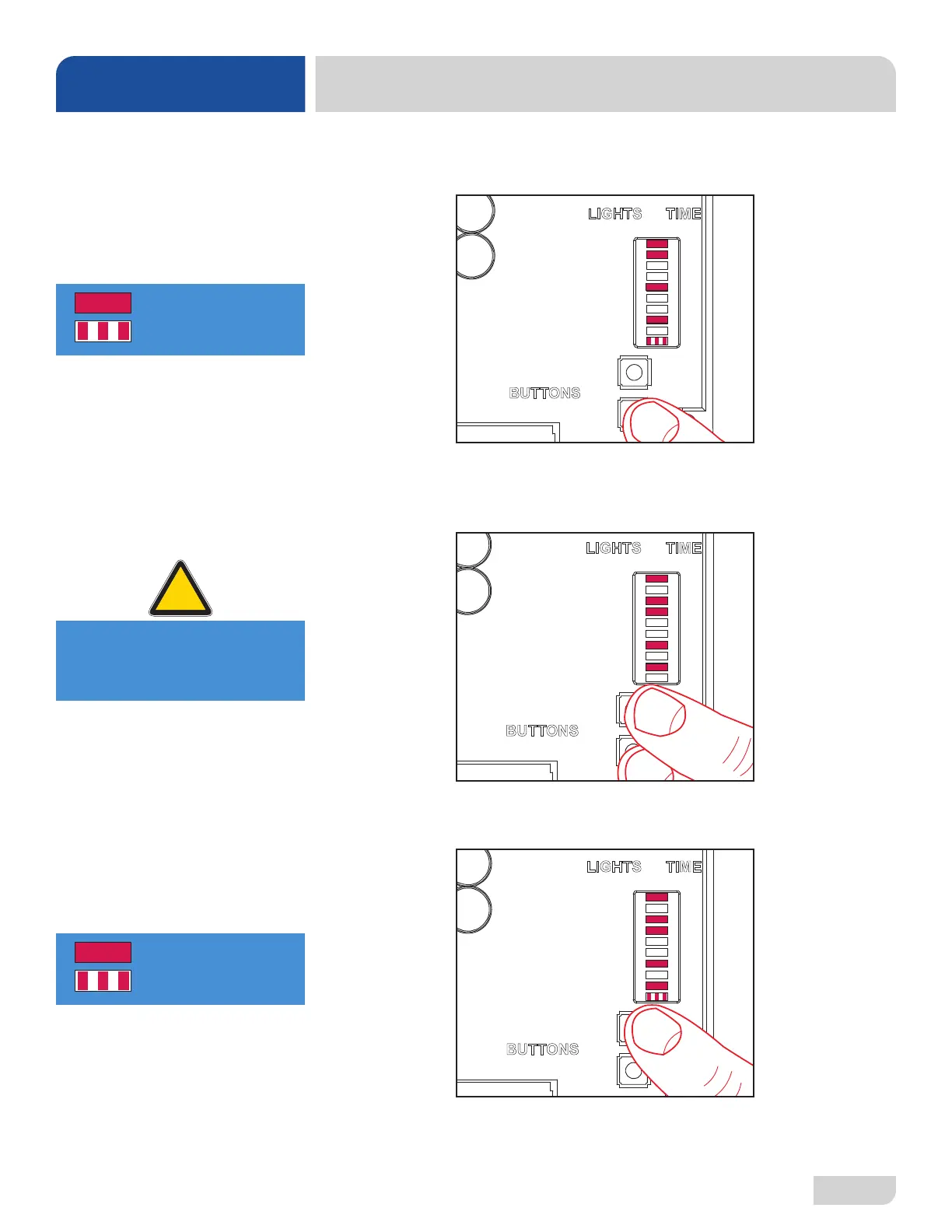
5. Press ENTER button. PGM light will stay steady, lights for the current time
setting will come on, and ACCEPT light will start ashing.
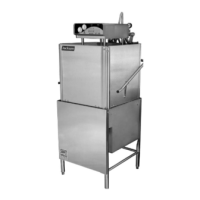
6. Press MOVE button to cycle through the different time options. To choose a time
option, press ENTER while the light is ashing on that option. To deselect the
option, press ENTER again.
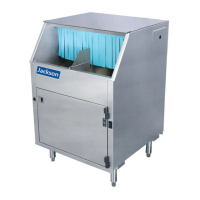
7. Once all desired time options are selected, press MOVE button until ACCEPT
light is ashing (lights for selected time options should still be steady).
8
4
2
1
0.8
0.4
0.2
0.1
A
B
C
D
E
F
G
H
PGM
ACCEPT
MOVE
ENTER
IN
SEC
LIGHTS TIME
BUTTONS
= Light Steady
= Light Flashing
Example here shows
current setting for G
at 9.2 seconds (each
selected time option
is added to get the
total).
8
4
2
1
0.8
0.4
0.2
0.1
A
B
C
D
E
F
G
H
PGM
ACCEPT
MOVE
ENTER
IN
SEC
LIGHTS TIME
BUTTONS
Example here shows
setting for G changed
to 6.5 seconds (each
selected time option
is added to get the
total).
CAUTION! Light for each
desired option must be
steady before moving on.
!
CAUTION
INSTRUCTIONS
INSTALLATION
8
4
2
1
0.8
0.4
0.2
0.1
A
B
C
D
E
F
G
H
PGM
ACCEPT
MOVE
ENTER
IN
SEC
LIGHTS TIME
BUTTONS
= Light Steady
= Light Flashing
PROGRAMMING
CHEMICAL FEEDER
PUMPS (LT/LT-H)






 To Next Page