JADEVER SCALE CO., LTD
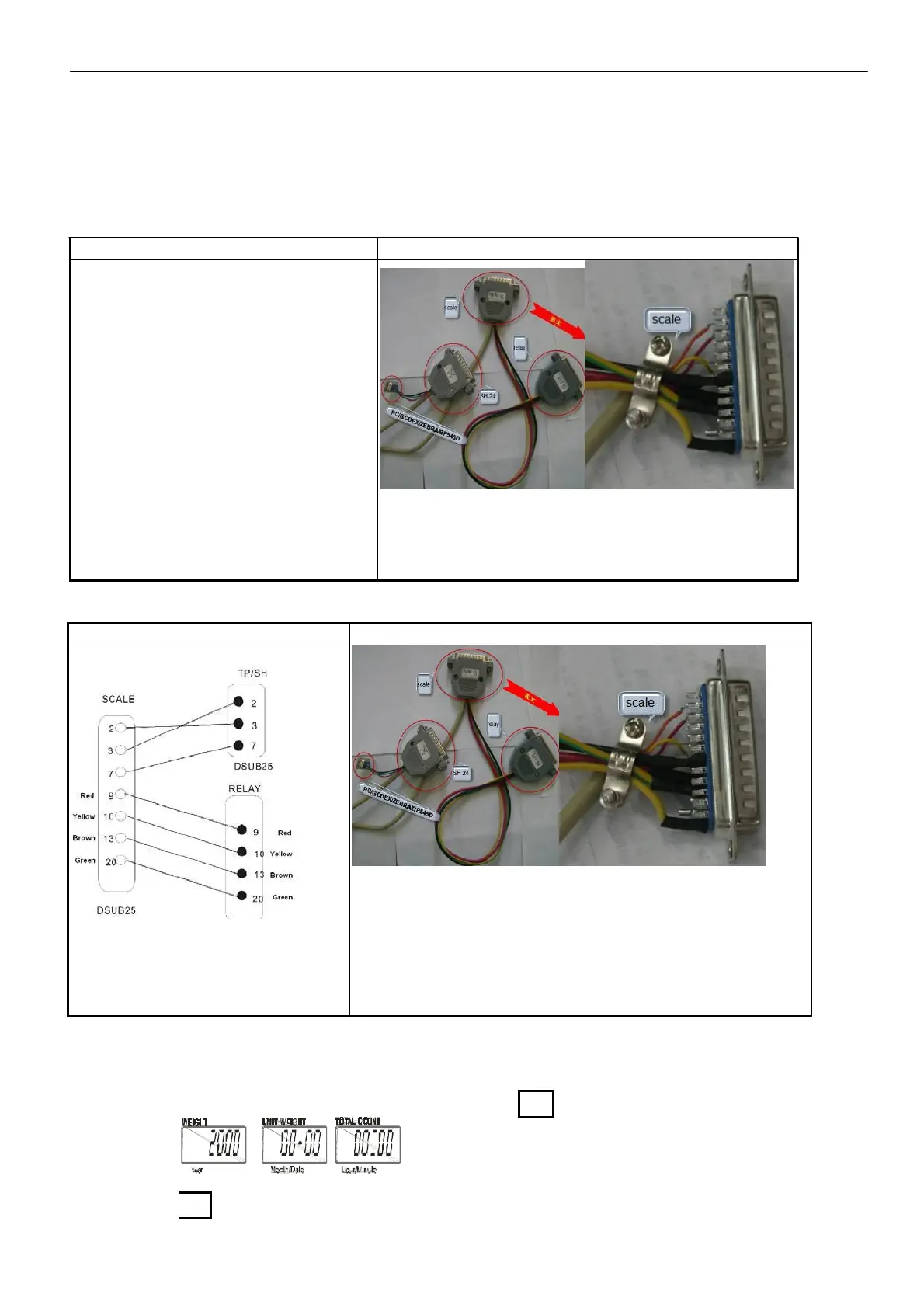
Scale to ZEBRA/GODEX(EZ)/BP545D(TDP)printer and light tower
Wire connection
Pictures
Note: The hollow dots represent the
male connectors and the black
dots are for female connectors.
Scale to SH-24(TP)printer and light tower
Wire connection
Note: The hollow dots represent
the male connectors and the
black dots are for female
connectors.
3-5 Time setting
Pictures
1) The RTC function should be switch on before setting is allowed. (Refer to 4-4)
2 When the scale is in weighing mode, long press key
MR
for 2-3 second and three windows
will display.
2) Press key
M+
to select the position to be altered and the position under alteration will
10 JCL Service Manual



 To Next Page
 Loading...