44
GridVis
®
Collector www.janitza.de www.janitza.de GridVis
®
Collector
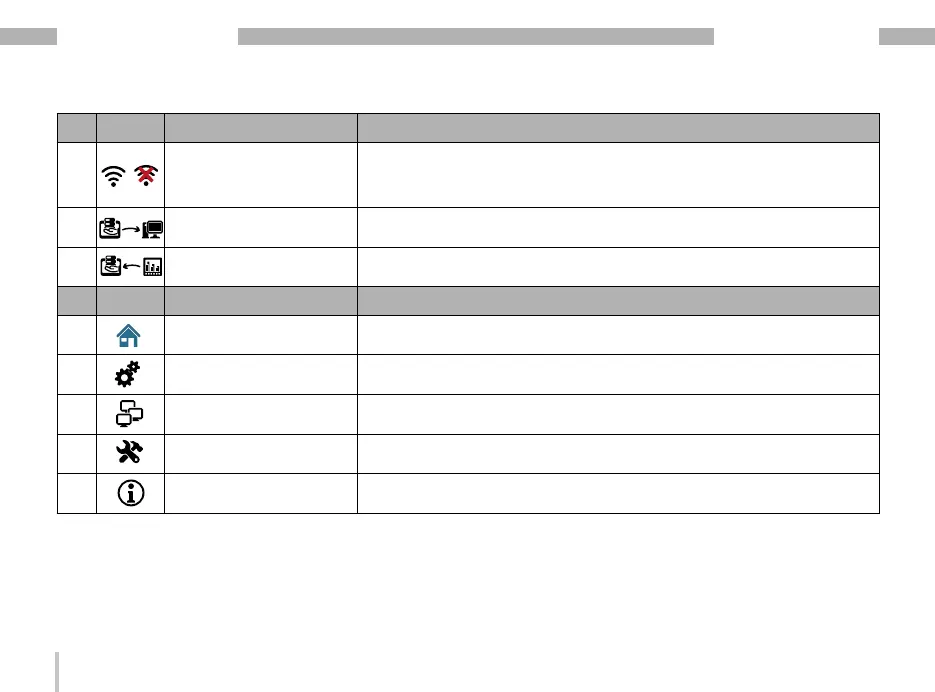
Item Symbol Function Description
7
Display
"WLAN interface status"
Shows the status of the WLAN interface:
· WLAN connection with the server. When the WLAN connection is
active, the symbol changes colour (blue).
· No WLAN connection - symbol marked with a red X.
8 "Server mode" button · Activates the "Server mode" operating mode
9 "Device mode" button · Activates the operating mode "Device mode"
Item Symbol Main menu functions Description - The symbol of the activated function is shown in blue.
10 "Start" button
· Opens the start screen.
· Selection of the operating mode.
11 "Settings" button
· Opens the "Settings" user interface with settings for the LCD screen,
time zone and language.
12 "Network" button · Opens the "Network" user interface with Ethernet and WLAN settings.
13 "System" button
· Opens the "System" user interface with log, update
· and reset settings.
14 "Info" button Provides information about the functions.
Table: Descriptions for "Start screen and Main menu"


 To Next Page