97
GridVis
®
Collector www.janitza.de www.janitza.de GridVis
®
Collector
NOTE
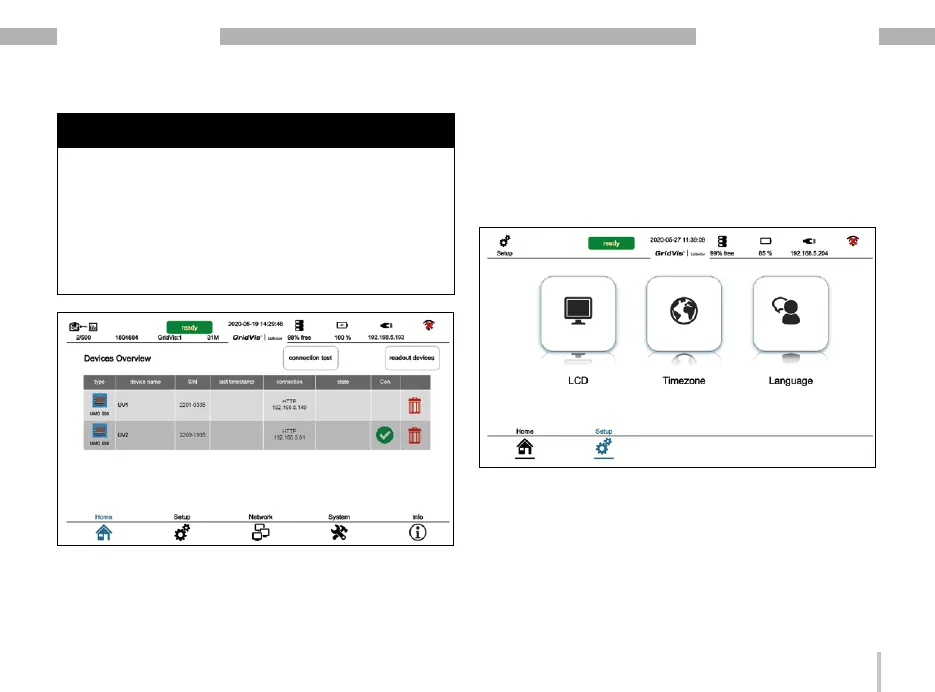
Use the "Recycle Bin" icon to revoke the assignment of
incorrectly assigned measurement devices. If measured
values have already been read out from these measu-
rement devices, these records must be deleted (in the
GridVis
®
Collector via "Delete records" - section „7. 9. 1
Function of „Reset“ button“ on page 104).
At the time this manual was printed, it was not yet
possible to delete records from measurement devices
individually.
7. 7 Main menu item "Settings"
The main menu item "Settings" is used to configure
the LCD brightness, time zone and language of your
GridVis
®
Collector.


 To Next Page