50
GridVis
®
Collector www.janitza.de www.janitza.de GridVis
®
Collector
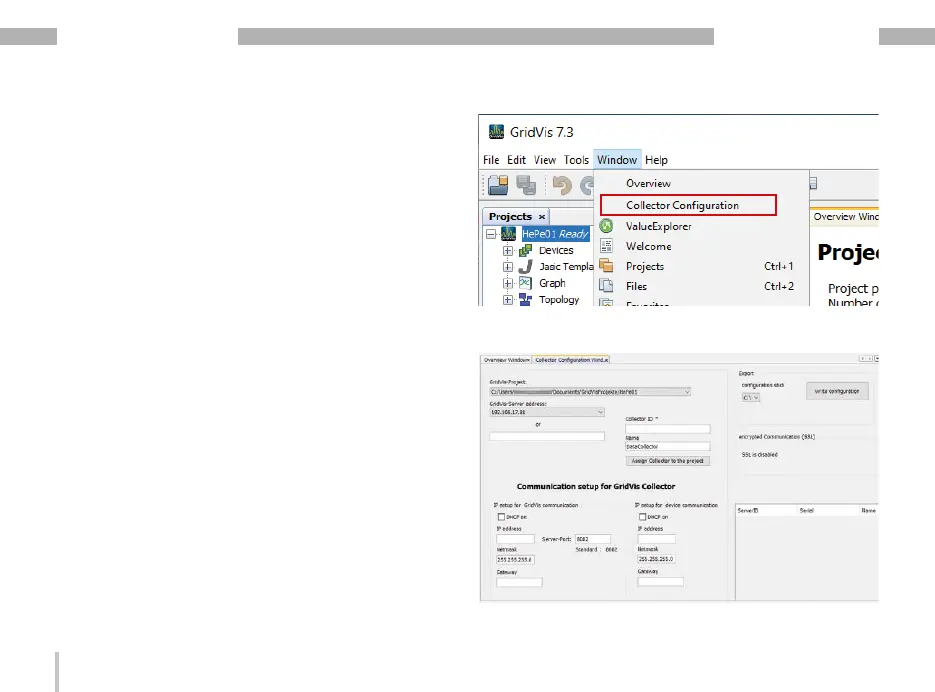
· The “Collector configuration" window appears.
6. 2 Configuring the GridVis
®
Collector in the
GridVis software
After the plug-in installation and restart of the GridVis
software, configure the GridVis
®
Collector in the GridVis
software.
The following example describes the configuration
using the example of a new GridVis project.
You can also use an existing project. For information on
how to create a new project, refer to the online help for
the GridVis software.
Step 1
· Click the “Window" drop-down menu in the menu
bar of the GridVis software.
· Then click on the menu item “Collector configura-
tion".


 To Next Page