49
GridVis
®
Collector www.janitza.de www.janitza.de GridVis
®
Collector
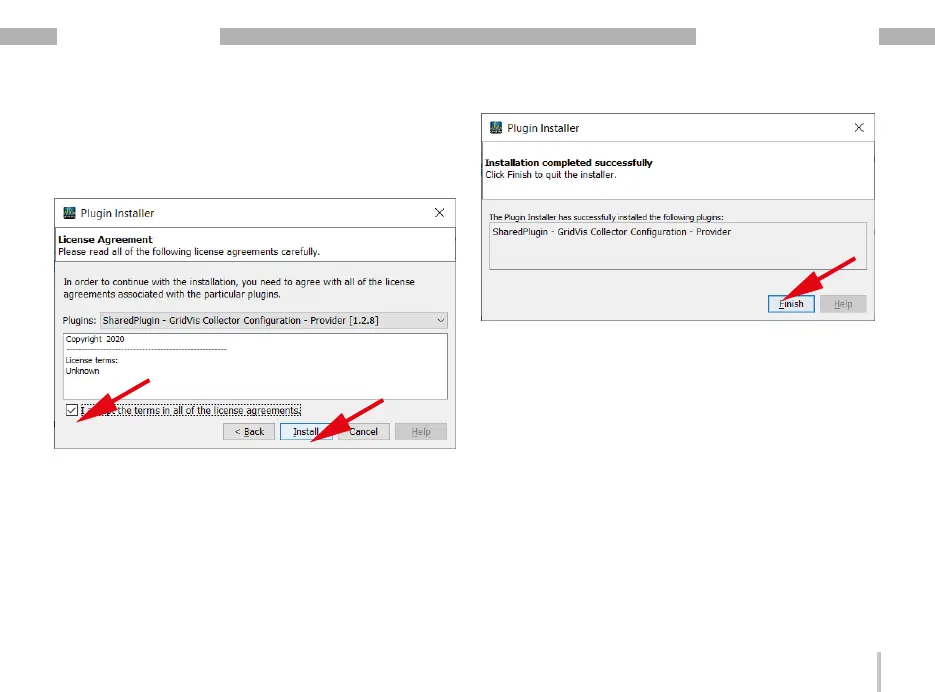
· The "Installation system for plug-ins" window
appears.
· Accept the license agreements by selecting the
checkbox and clicking the "Install" button.
· The "Please check the certificate" window appears.
Ignore this message by clicking the "Continue"
button.
· In the last step of the plug-in installation, click the
“Finish" button.
· Proceed in the same way to install additional plug-
ins.
After you have installed both plug-ins, restart the Grid-
Vis software.


 To Next Page