72
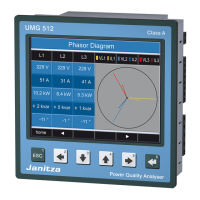
UMG 512
Password
The user can block access to the configuration with
a password. The configuration can then only be changed
directly on the device by entering the password.
The password consists of a 6-digit code.
Setting range: 1-999999 = With password
000000 = Without password
Password (000000) is not factory-programmed.
• To change a password that has already been set,
you must know the current password.
• Note down the changed password.
• When selecting the "Password" (green marking),
the password can be changed using the 6 key
(enter) and keys 2 to 5. Pressing the 6 key again
confirms the entry.
• If you no longer want a password prompt, enter
the password "000000".
C
Forgot my password
If you no longer remember your password,
you can only delete it using the "GridVis"
PC software.
In order to do so, connect the UMG 512
to the PC with a suitable interface. More
information can be found in the GridVis
assistant.


 To Next Page
 Loading...