EasyManua.ls Logo

Jasic TIG200 - Page 32

Jasic TIG200
59 pages
Print Icon
To Next Page IconTo Next Page
To Previous Page IconTo Previous Page
Loading...
Page 32
(The standard version only supports overvoltage protection function. This function is enabled
by default.)
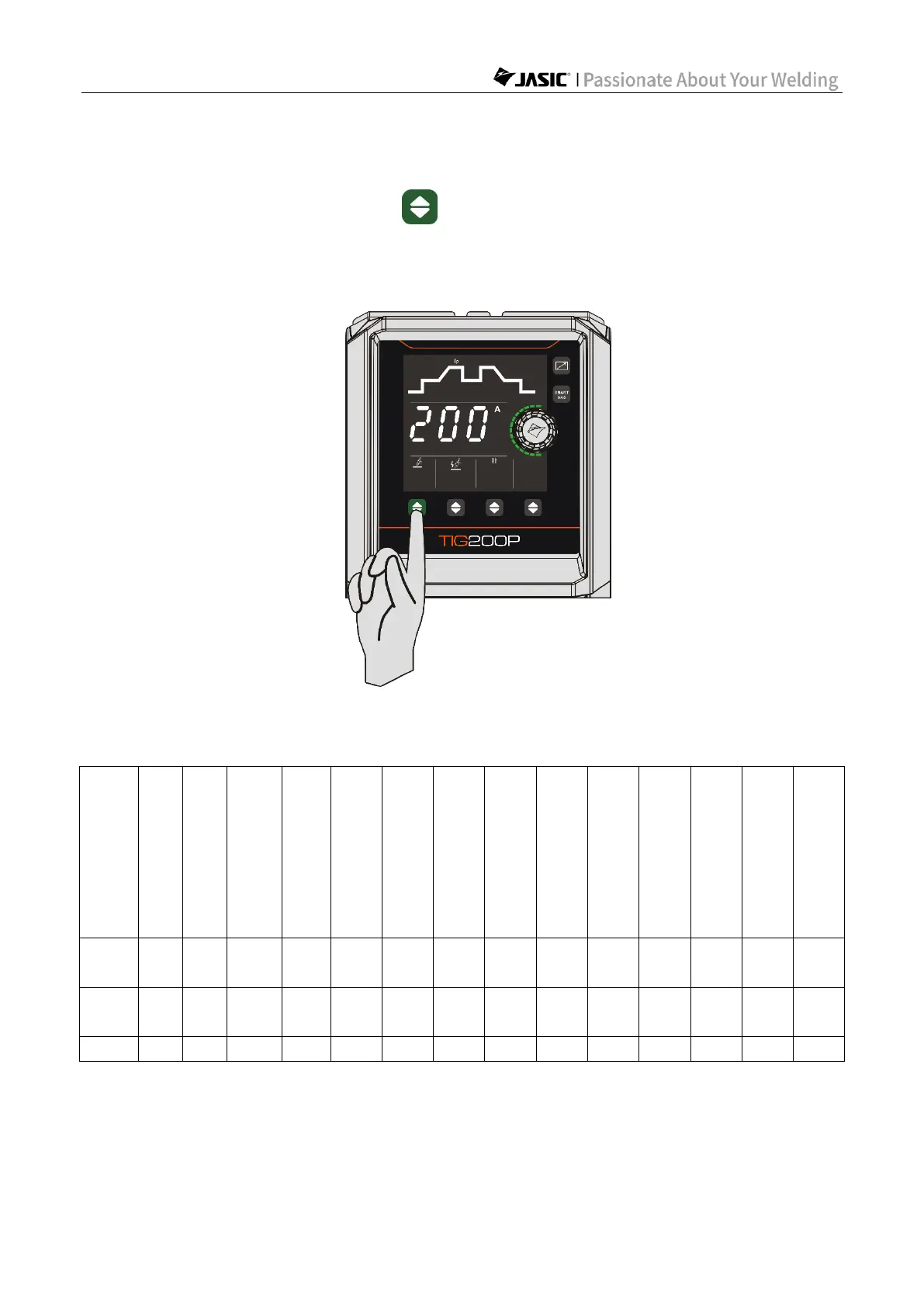
6.3.3 Restore factory settings
Press and hold the welding mode key for 5s to restore factory settings. After holding
for 1s, the display window will start to count down from 3. When the countdown ends, the
factory settings are restored. If the button is released before the countdown ends, the
restoration will not take place. The factory settings are as shown in Table 6-1.
Figure 6-8 Restore factory settings
Table 6-1 Factory settings

Welding mode
Pre-flow time (s)
Initial current (A)
Up-slope time (s)
Peak current (A)
Base current (A)
Down
-slope time (s)
Finish
current (A)
Post-flow time (s)
Spot welding time (s)
Pulse frequency (Hz)
Duty cycle (%)
Welding
current (A)
Hot start current (A)
Arc-force current (A)
DC
TIG
0.5
10
0.5
100
——
0.5
10
2
1
——
——
——
——
——
Pulse
TIG
0.5
10
0.5
100
50
0.5
10
2
——
50
50
——
——
——
MMA
——
——
——
——
——
——
——
——
——
——
——
80
30
30
Note: TIG200 and TIG200 PFC do not have the pulse TIG factory settings.

Other manuals for Jasic TIG200

Related product manuals