Section 5 Page
5. Operation
ALPHAM4/V1 SEPT 2011
1
5.1 Changing Size
5.1.1 All paper sizes that can be selected :
1 : A4P 297.0X210.0
2 : A4L 210.0X297.0
3 : A5P 210.0X148.0
4 : A5L 148.0X210.0
5 : US/2P 215.9X137.7
6 : US/2L 137.7X215.9
7 : USP 279.4X215.9
8 : USL 215.9X279.4
9 : FLSP 330.2X215.9
NOTA : Don’t forget to retract the foot stops or the
10 : FLSL 215.9X330.2 head stops, located less than 7mm before the square
11 : CUST1 ***.*X***.* of lateral jogging respect to the paper size selected.
12 : CUST2 ***.*X***.*
13 : CUST3 ***.*X***.*
14 : CUST4 ***.*X***.*
5.1.2 Procedure
5.1.3. Check the punching
The punching tools are centered respect to the machine.
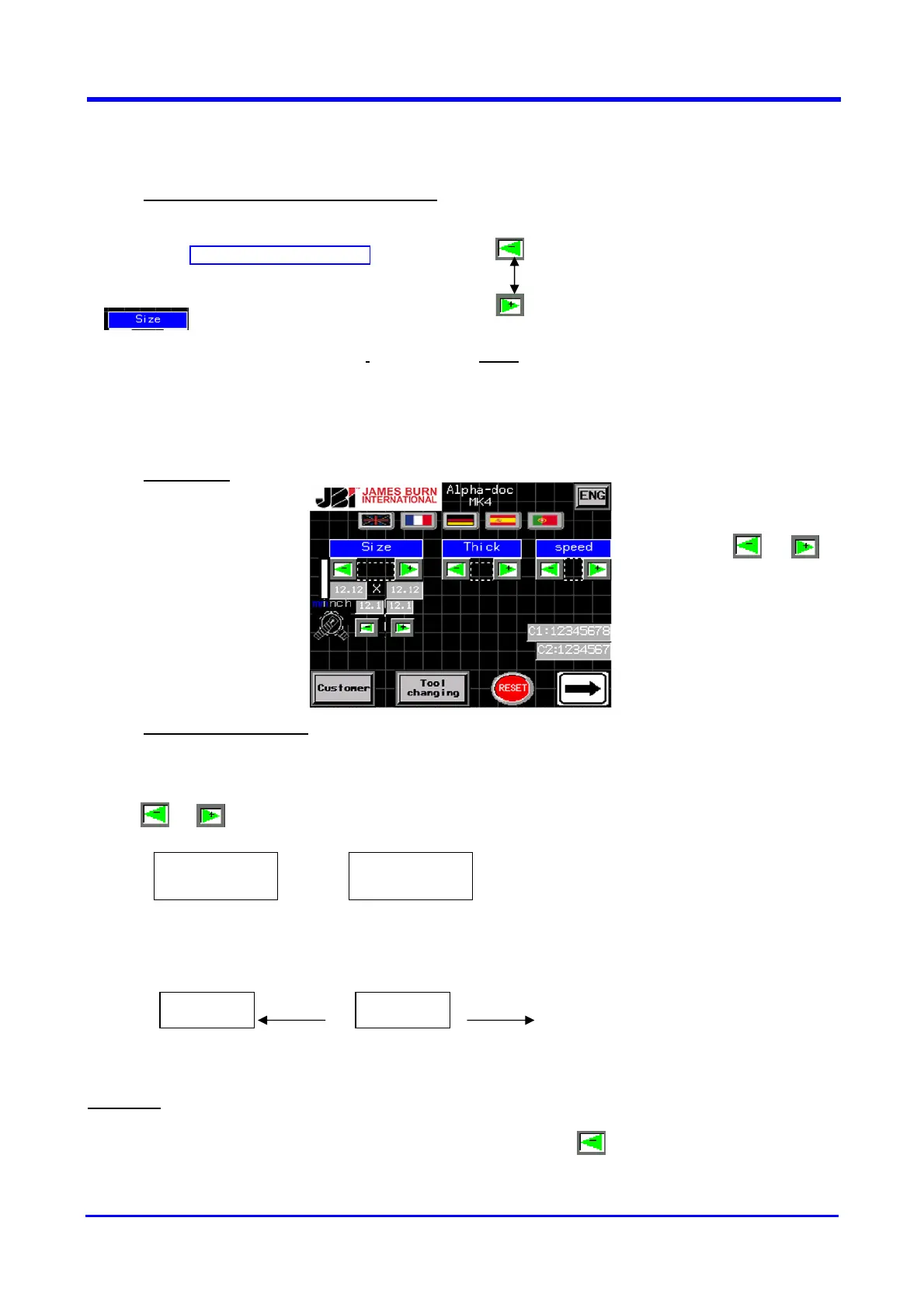
Press or (see the above screen) for adjusting the paper size.
From – 9,5mm to +7,5mm respect the “0” position
This adjustment has to be used for formats with uneven number of holes.
Example
:
For an A4P format with 33 holes in 3:1” pitch press the key up to 4,2 to get the correct
position.
°°°°°°°°°°°°°°°°
Correct
°°°°°°°°°°°°°°°°
Wrong
°°°°°°°°°°° °°°°°°°°°°°
- 9.5mm + 7.5mm
To select the size
press or to
find the right size


 To Next Page