EasyManua.ls Logo

JBI Alpha-Doc Mk4 - 3. Switching On

JBI Alpha-Doc Mk4
45 pages
Print Icon
To Next Page IconTo Next Page
To Previous Page IconTo Previous Page
Loading...
Section 3 Page
3. Switching On
ALPHAM4/V1 SEPT 2011
1
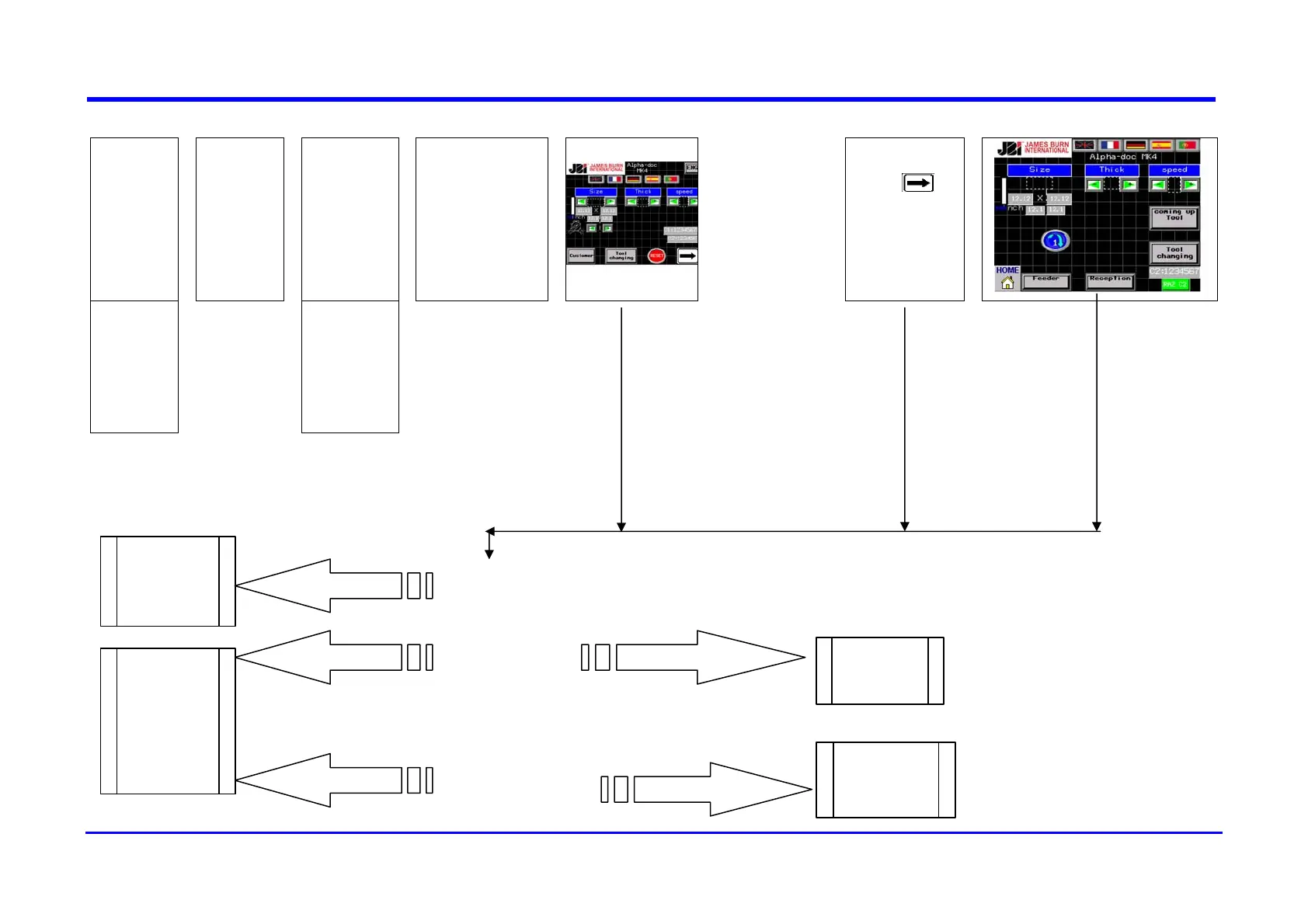
Normal
Operation
¾
Switching
on
¾
The screen
lights up
¾
TEST
Message :
Booting
Loading Runtime
¾
¾
Press
to
initialize
Message :
INIT
¾
Possible
Troubles
¾
The screen
does not light
up
Maintenance
manual
Message :
“COVER OPEN”
Check the cover
Message :
“EMERGENCY
STOP”
Check the
emergency stop
button
The cover is closed
See the
maintenance
manual or
contact JBI’s
engineering
department
The button isn’t locked
The button is locked
The cover is open
Twist off the
button for
unlocking
Close the
cover
Open the
cover
entirely and
then close it.
The cover is closed

Related product manuals