Section 5 Page
5. Operation
ALPHAM4/V1 SEPT 2011
3
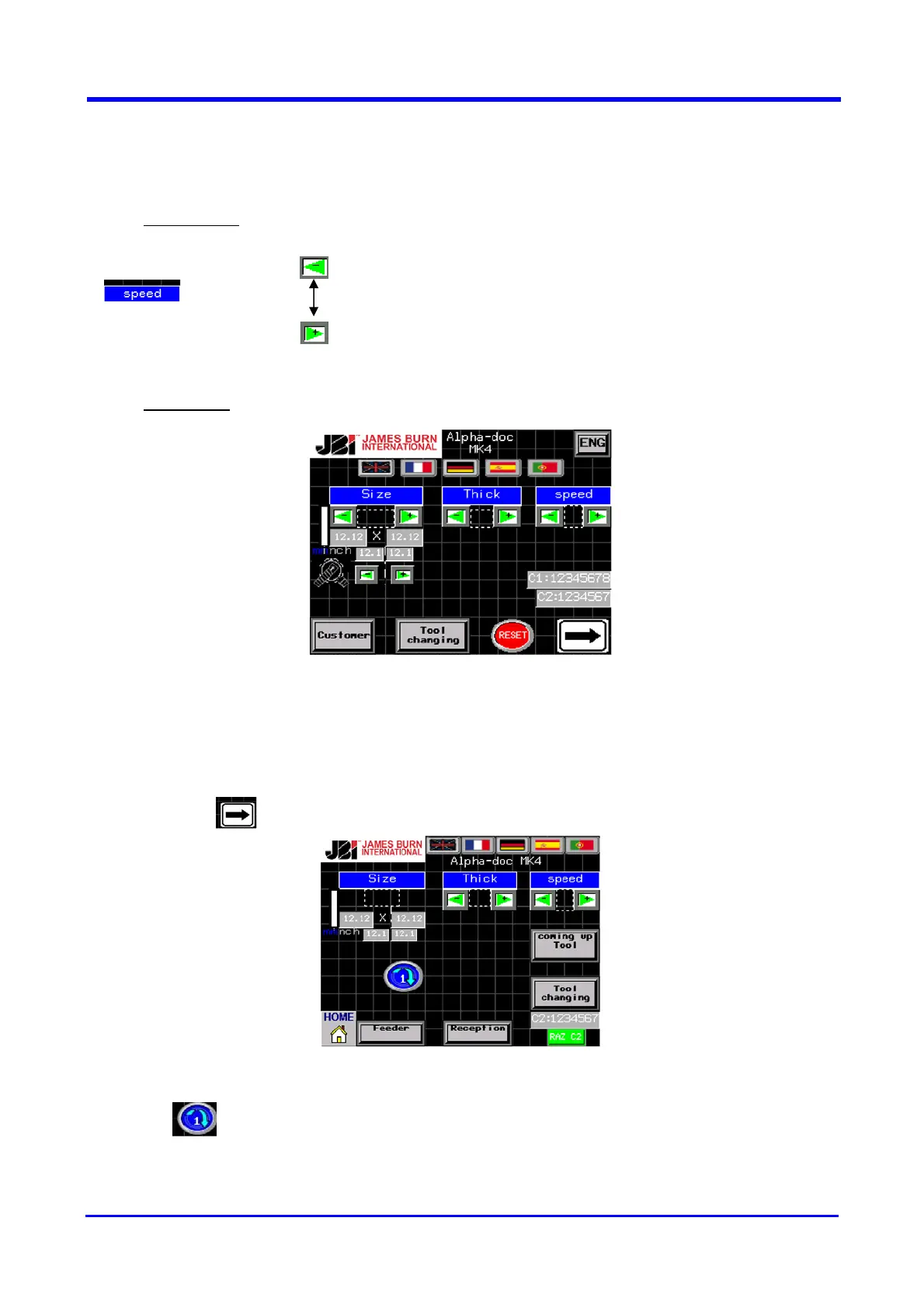
5.3 Setting Speed (90), Normal (80), Card (70C) or Index (70I) Selection
5.3.1 Initial Menu
〉 90 90 cycles/min
〉 80 80 cycles/min
〉 70C 70 cycles/min
〉
70I 70 cycles/min + 3 solenoids TABS
5.3.2 Procedure
NOTE : By selecting the 70I Index mode you will activate the 3 solenoids located on the
square of the side lay gauge (if you have this option – see Section 6.1).
By selecting the 70C Card mode you will operate in low speed (70 strokes per minute),
useful for difficult work with card board or sensitive paper.
Then press on “INIT”
Launch the cycle, 2 possibilities :
1) Press : launch 1 cycle to validate the paper format
2) Press the “ON” button (see Section 4)
To stop the cycle press the “STOP” button (section Section 4)


 To Next Page