Part No. 960-000187R_Rev. A © 2016 JCM American Corporation
DBV-500 Banknote Validator JCM® Training Overview November, 2016
SOFTWARE DOWNLOAD PROCEDURE
To update the Software Version in the DBV-500 Unit:
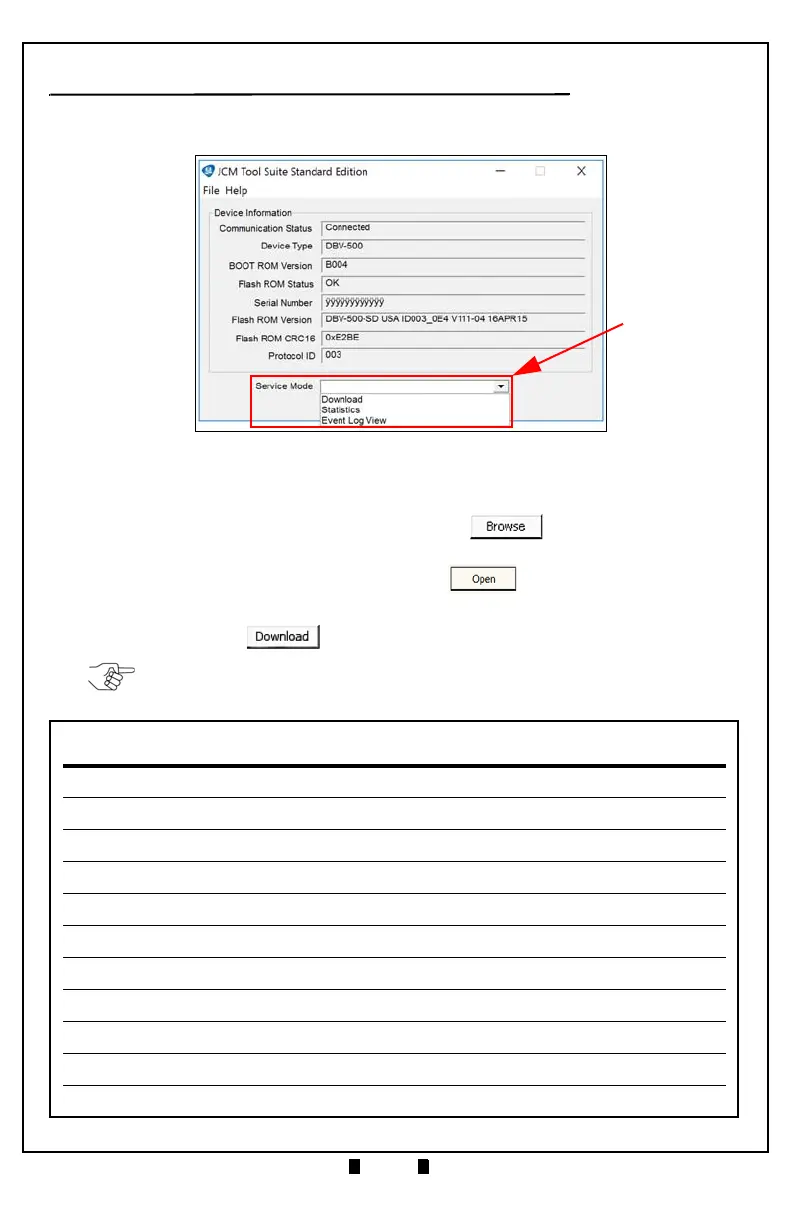
1. Click the “Service Mode” drop-down menu (Figure 5 a), then click “Download.”
The JCM Downloader Suite Edition display appears (Figure 6).
2. To select the file to download, click “Browse” (Figure 6 a).
3. From the folder that contains the DBV-500 download file, click the DBV-500
Download file name, then click the
“Open” screen button.
The JCM Downloader Suite Edition Version x.xx display reappears.
4. Click “Download” to start the file transfer (Figure 6 b).
Figure 5 JCM Service Mode Drop-Down Menu
a
NOTE: A Blue Barograph will display the download progression.
When downloading is complete, the DBV-500 Unit will automatically reset, and
the Online message will be displayed (Figure 6
c).



 To Next Page