Part No. 960-000187R_Rev. A © 2016 JCM American Corporation
DBV-500 Banknote Validator JCM® Training Overview November, 2016
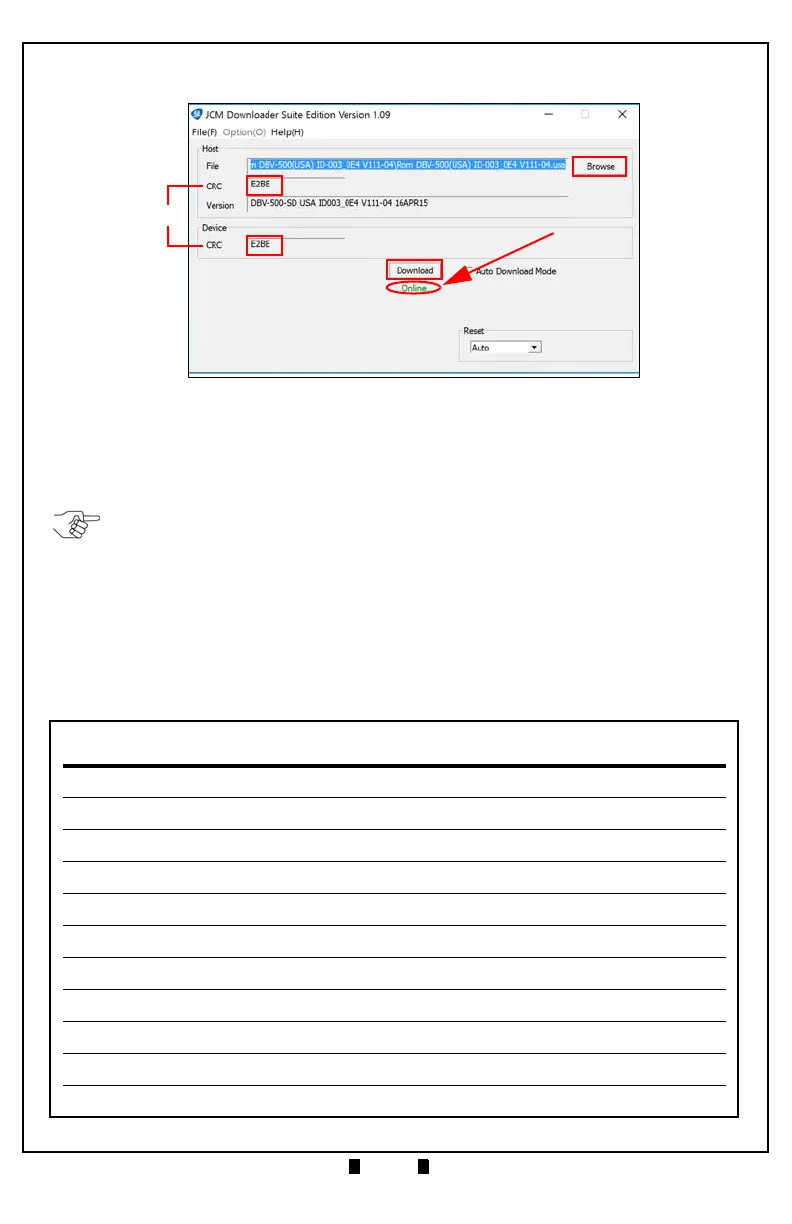
5. Verify that the Host CRC and Device CRC values are identical (Figure 6 d).
6. Disconnect the USB Cable used for the Download, and remove power from the
DBV-500 Unit.
7. Set the DIP Switches on the DBV-500 Unit to the Operational position.
.
Figure 6 Downloader Suite Display
=d
c
a
b
NOTE: If the DBV-500 Software becomes corrupted or is not installed (e.g., when
changing the CPU Circuit Board), set Forced Download Mode by setting DIP Switch
Block #1 Switches #6, #7 and #8 ON. (The DIP Switches are located behind the Cash
Box; remove the Cash Box to gain access).



 To Next Page