Part No. 960-000187R_Rev. A © 2016 JCM American Corporation
DBV-500 Banknote Validator JCM® Training Overview November, 2016
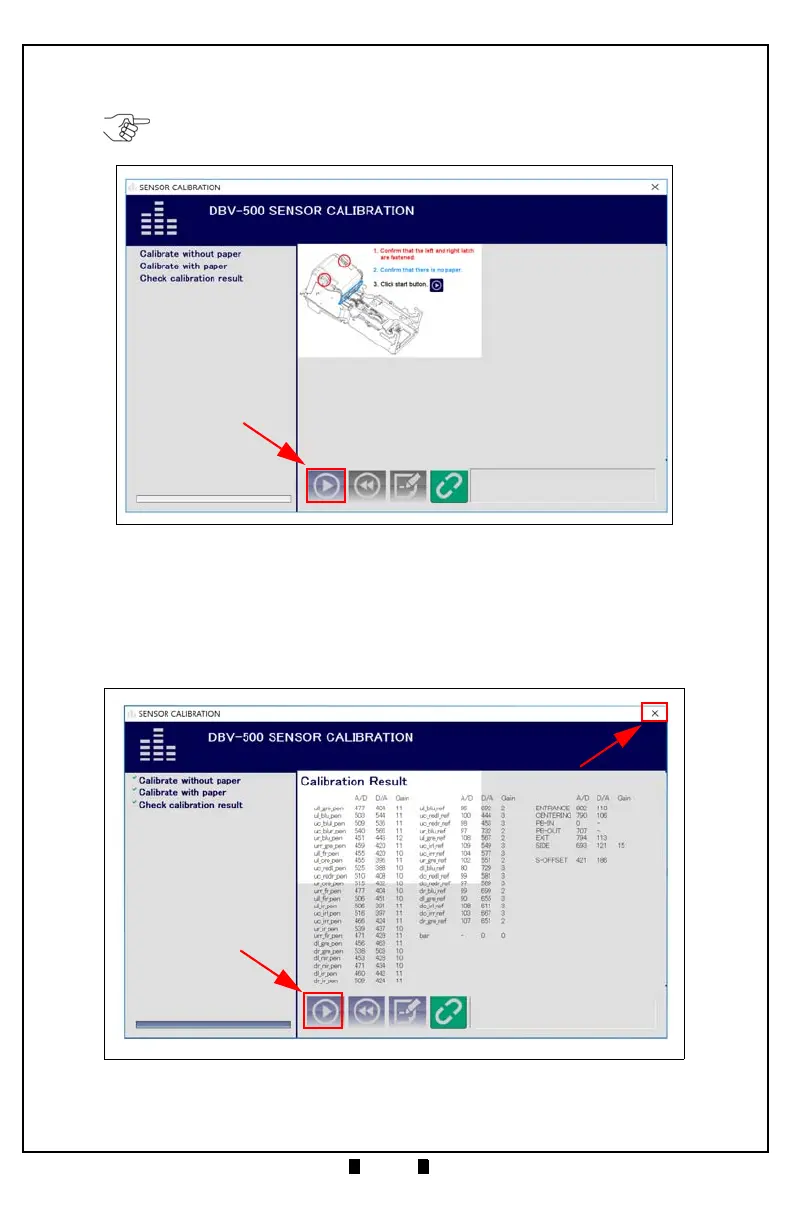
9. Follow the onscreen prompts and click the Start button (Figure 9 a) to begin the
DBV-500 Validation Sensor Calibration.
10.When prompted to Change Serial Number?, click Yes if the Serial Number
recorded on the CPU Circuit Board needs to be changed; otherwise, click
No to
complete Calibration.
11.When the Sensor Calibration Screen appears (Figure 10), click the
Start button
(Figure 10 a) to save the Calibration Settings to EEPROM.
NOTE: KS-091 Reference Paper must be used for Calibration of the DBV-500.
Figure 9 DBV-500 Sensor Calibration Function
Figure 10 DBV-500 Sensor Calibration Results



 To Next Page