23
7.6CLEANINGPROCEDURE
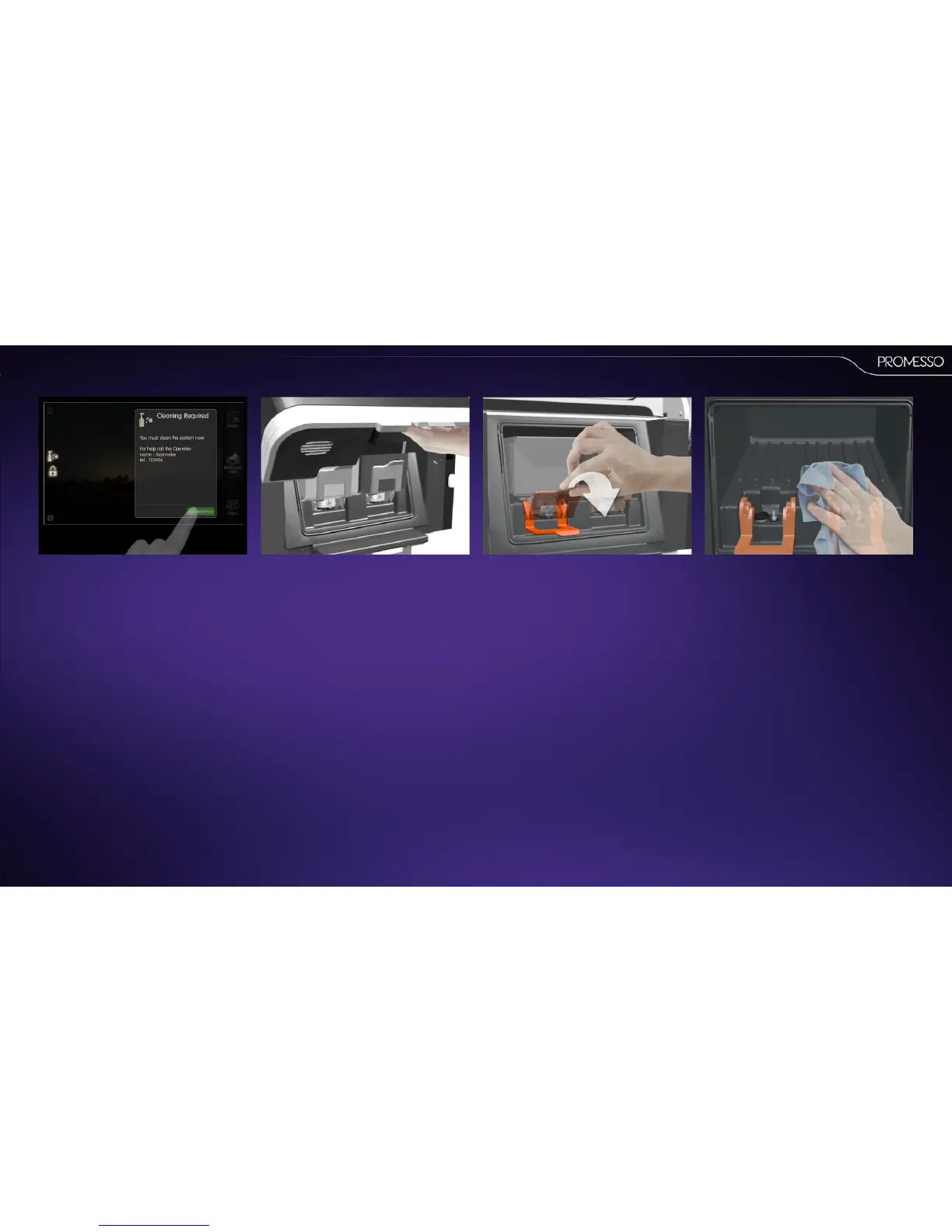
• Press the [cleaning icon] in the display. An
informaon prompt will appear.
• Press the [clean] buon to start.
• Open the machine door. • Press the retaining levers down and remove the
product packs.
IMPORTANTFirst li the packs, and then pull out!
• Clean the interior of the cooling compartment
with a clean moist cloth.
• Wipe the cooling compartment dry with a clean
dry (paper) cloth



 To Next Page