29
9. DESCALING
Beforeyoustartdescaling
• Read the instrucon label of the Renegite(TM)
descaling agent. Use protecve measures if
applicable.
Howtostartthedescalingprocedure
Aer a preset water throughput (set during
installaon) an icon appears in the display.
• Click on the descaling icon and follow the in-
strucons on the screen to start the descaling
procedure.
You can start at any given me the descaling
procedure in the operator programming mode.
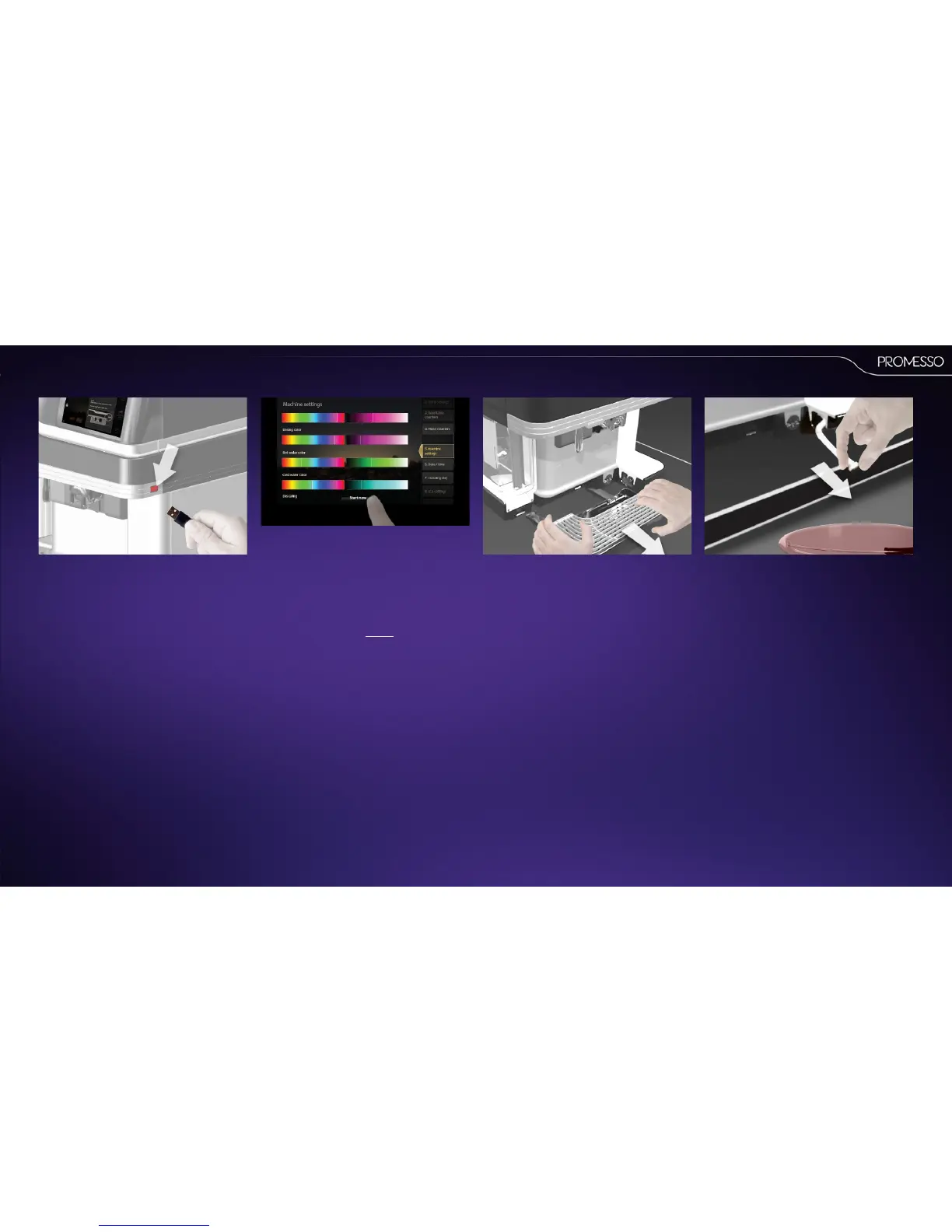
• Place the USB key in the connector (machine
right side)
To start descaling in the operator programming
mode:
IMPORTANT:This procedures take approx. 45
minutes to complete and cannot be canceled or
interrupted aer you have started.
• Select ‘Machine sengs’ > ‘Descaling’
• Press [start now]
Descalingprocedure:stepbystep
• Remove the drip tray and pull the drain hose
out.
• Place drain hose over a 10L bucket.
• Remove the cap from the hose.
NOTE : the hose contains a small amount of cold
water that ows out when the cap is removed.



 To Next Page