10
4.3 USERPROFILESCREATIONANDEDITING
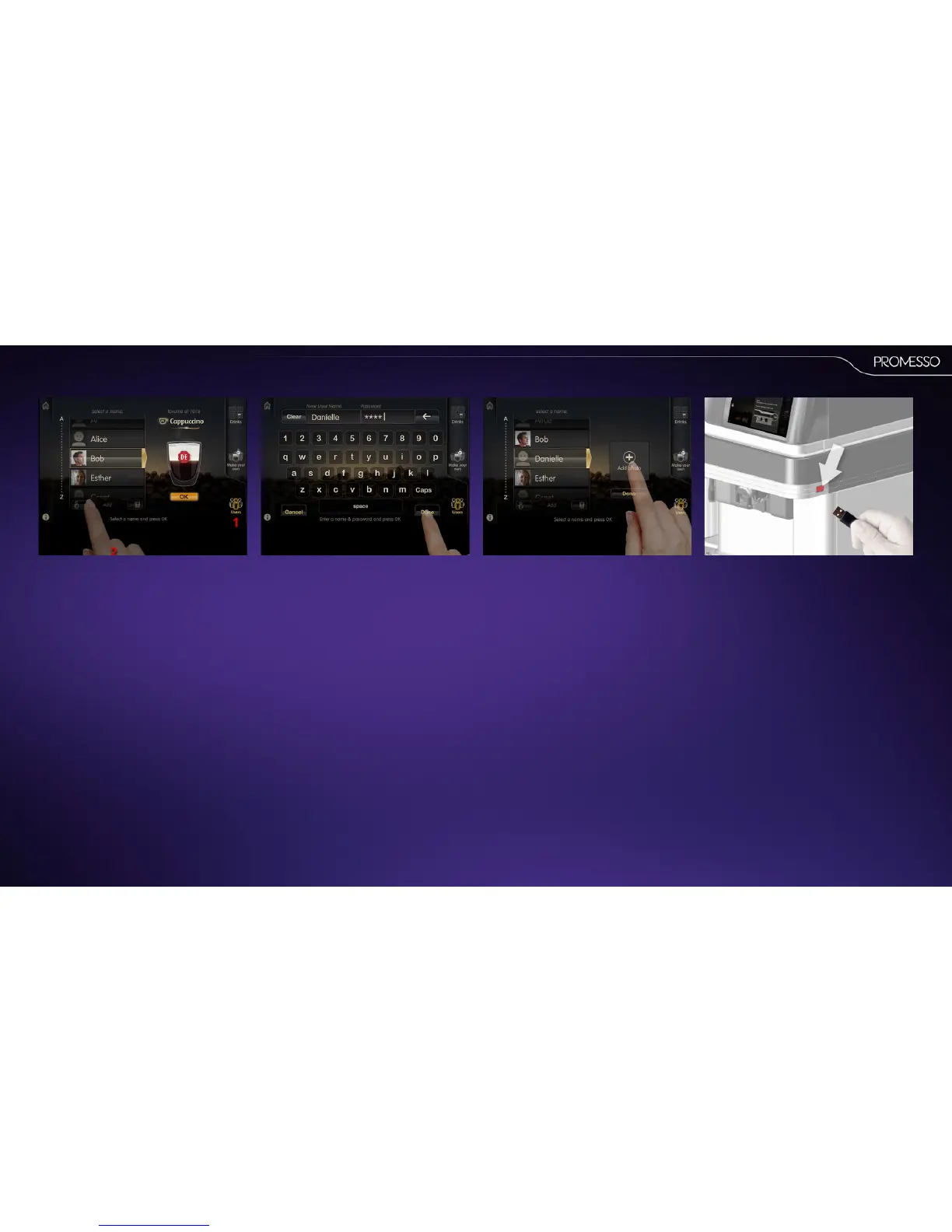
This procedure shows you how to create a prole.
NOTE
User proles can be deleted in the operator
programming mode.
1. Press the users tab
2. Press the add person icon
3. Enter your name and enter a password if
desired (oponal step)
• Press ‘done’
The display shows an addphoto eld.
4. Press the eld to proceed or click on the
name in the list or done to skip.
5. Insert a USB sck with the intended
image (you will be prompted to insert a USB
key if not already present)



 To Next Page