8
4. DAILY OPERATION
4.1 BREWINGCOFFEE
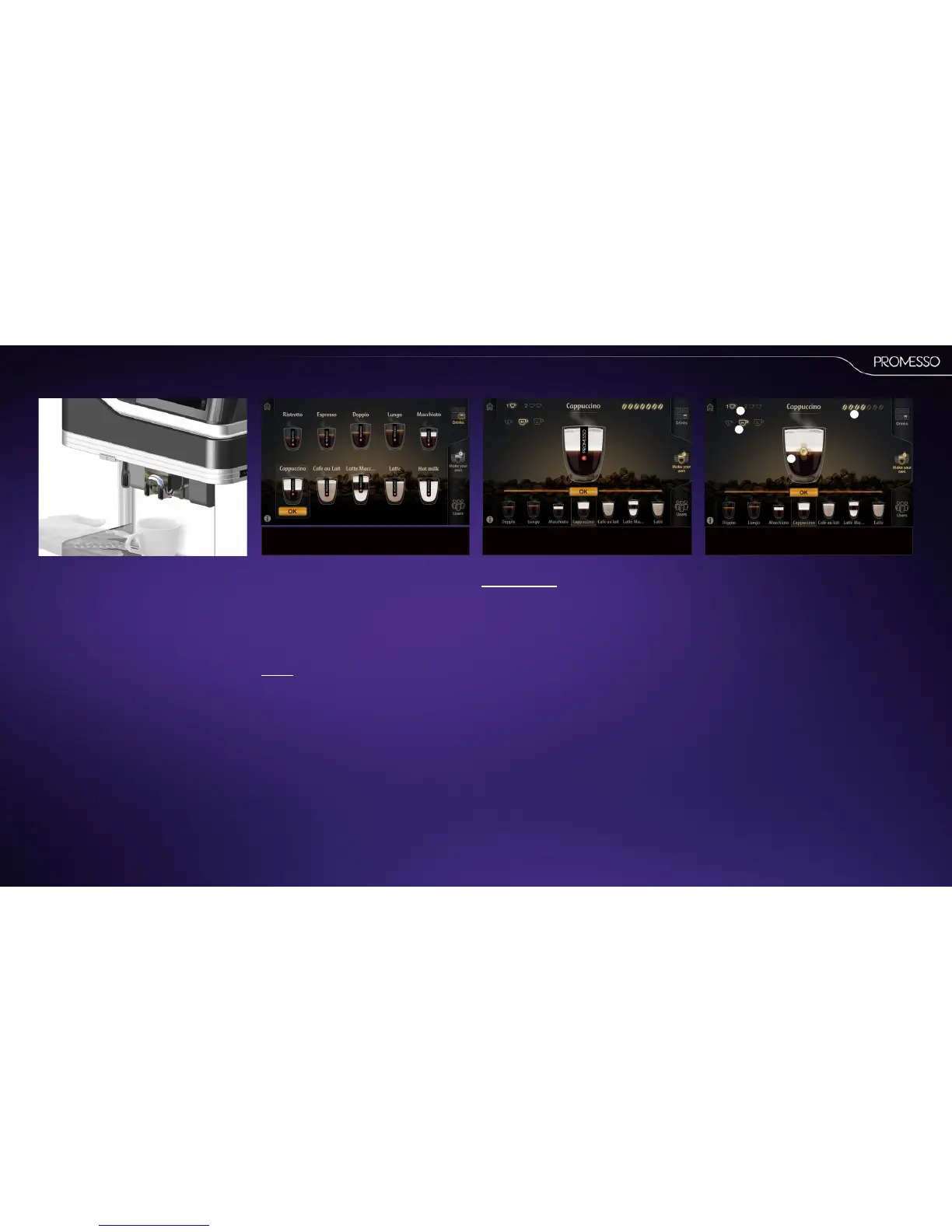
• Place your cup on the tray beneath the coee
outlet
• You can move the coee outlet up /down de-
pending on the size of your cup or mug.
NOTE:Move the outlet just above your cup for
the best result.
• Select one of the user mode tabs in the display
(right hand side) of your screen.
NOTE
You can remove or add user modes in the op-
erator programming mode.
Languageselecon
The machine can feature mulple languages. These
are shown in the start screen.
Select the language of your choice to proceed.
(Languages can be set in the operator mode)
DRINKS:Deliver drinks from a predened selecon
• Press on the predened available drinks shown
in the display.
• The drink is highlighted and shows a start but-
ton. Press the buon to start brewing.
• Press the stopbuon (shown in the display) to
cancel delivery.
NOTE
You can program the sengs of the various
drinks in the operator programming mode.
MAKEYOUROWN: Customize your drink
• Slide to select the drink that you want to
start with.
• Select the cup size; small, medium or large (1)
• Select a single or double drink delivery (2)
The drink is shown with a marker (buon):
• Slide the buon to the le for milder coee or
to the right for stronger coee. The number of
beans in the upper right corner will also in-
crease/decrease accordingly. (3)
• (it is also possible by selecng more or less
beans in the upper right corner of the screen)
• For milk based drinks : slide the buon up or
down to change the amount of milk in your
drink. (4)
• Press thestart buon to start brewing.
• Press the stopbuon (shown in the display) to
cancel delivery.
2
1
4
3



 To Next Page